


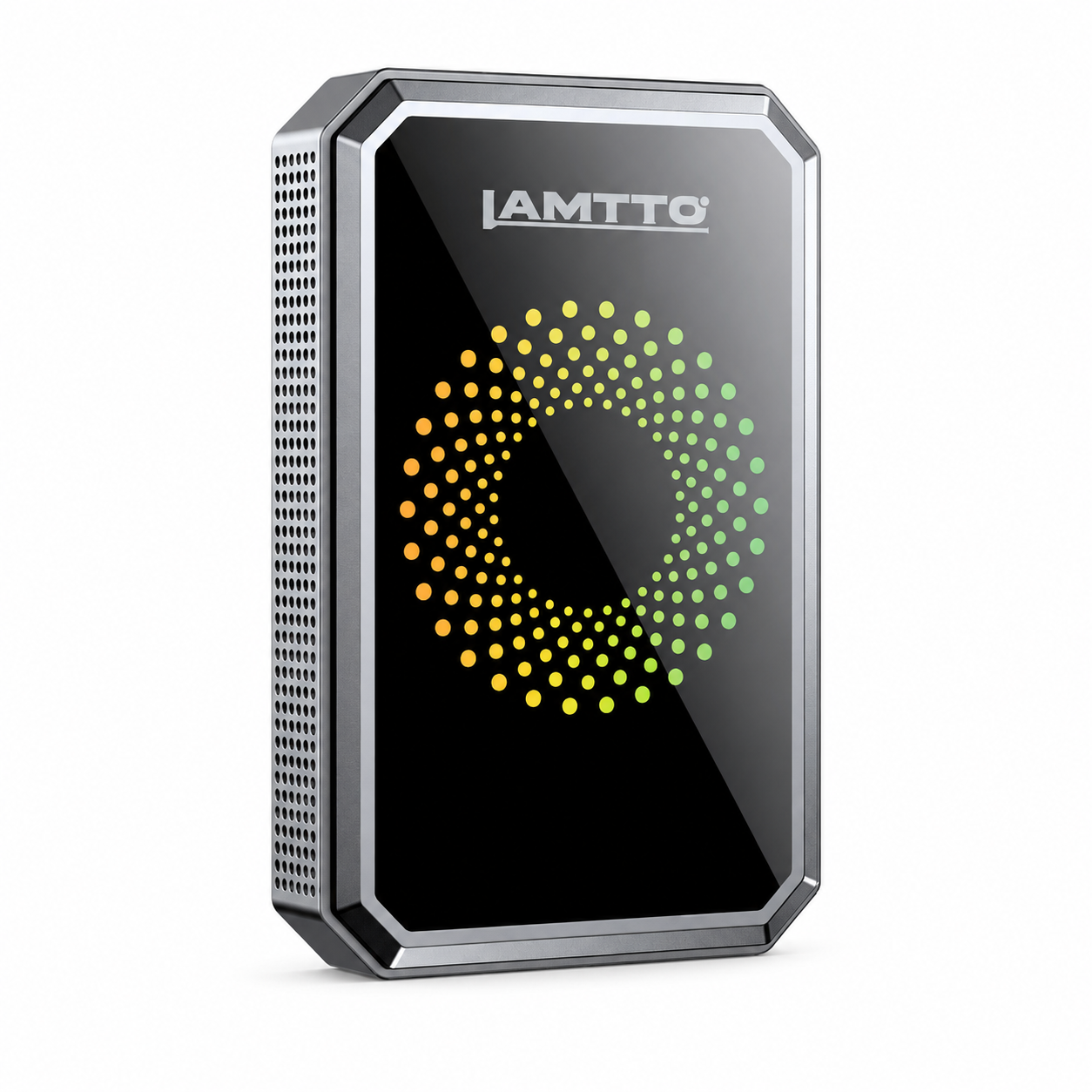


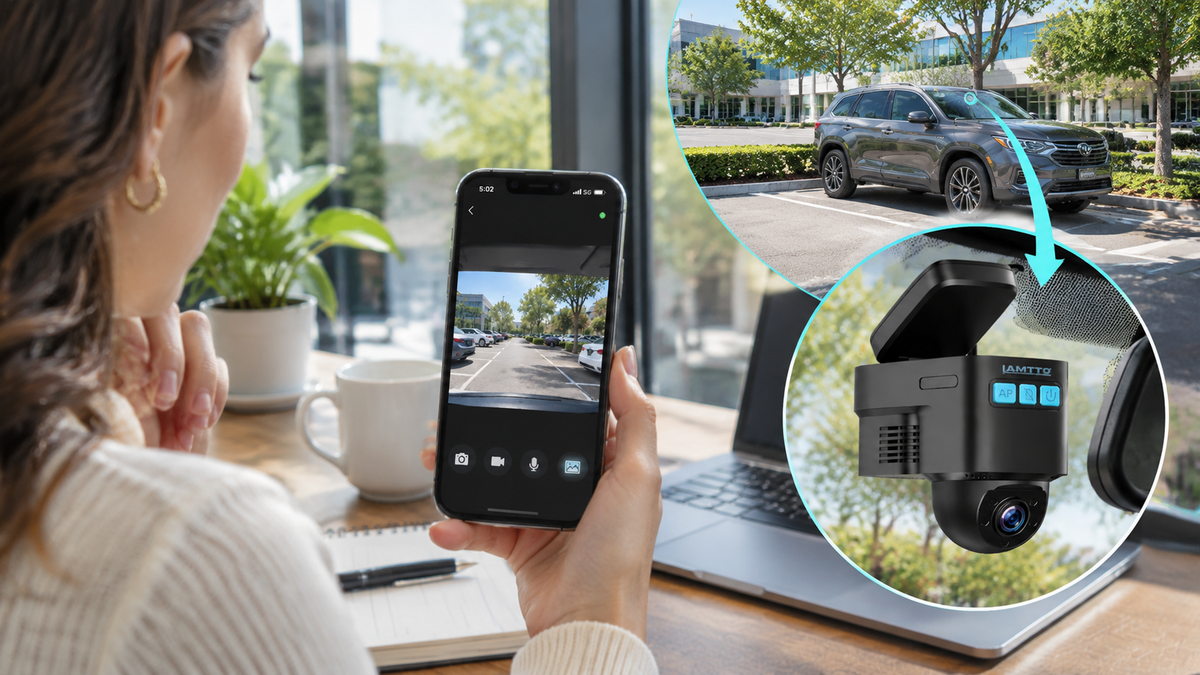
Yes, you can check your car camera remotely from your phone—even when you're miles away. But there's one important catch: not every dash cam supports remote viewing.
Most traditional dash cameras record footage to a memory card. Some Wi-Fi dash cams let you watch recordings on your phone, but only when you're close enough to connect directly to the camera.
If you want to check your parked car while you're at work, traveling, or relaxing at home, you'll generally need a 4G LTE dash cam with remote live view, an active cellular data connection, a compatible smartphone app, and a reliable power source.
Here's how remote car camera viewing works, what equipment you need, and how to choose a setup that fits your everyday driving habits.
Quick Answer: Can You Check Your Car Camera Remotely?
Yes. You can check your car camera from anywhere using a 4G LTE dash cam with remote live view. The camera needs an active cellular data plan, a compatible smartphone app, reliable power, and network coverage. Unlike standard Wi-Fi dash cams, cellular models can transmit supported live video even when your phone is miles away from the vehicle.
1. Can You Really View Your Car Camera From Anywhere?
The short answer is yes—as long as your camera supports internet-based remote access.
A remote car security camera connects to a cellular network and sends supported live video to a mobile app. Instead of physically returning to your vehicle or removing its memory card, you can open the app and check the camera feed.
Imagine these everyday situations:
- At work: Your car is parked several blocks away, and you want to check its surroundings.
- On vacation: You've left your vehicle in an airport parking lot for several days.
- At home: Your car is parked outside, and you want to check on it without walking outdoors.
- During a family trip: A family member is using your vehicle, and you want to check its location with their consent.
A properly configured 4G car camera can make these checks possible.
However, "from anywhere" doesn't mean the camera works without limits. The vehicle needs compatible cellular coverage, the camera must have power, and your phone needs an internet connection.

2. What Do You Need to View a Car Camera Remotely?
Before buying a dash cam with remote viewing, make sure you understand these five requirements.
A. A Dash Cam With Remote Live View
Not all cameras offer the same connectivity.
A standard dash cam records driving footage locally. A Wi-Fi model typically allows nearby phone connections. A cellular dash cam uses a supported mobile network to enable remote access.
Look for features such as:
- 4G LTE cellular connectivity
- Remote live video through a smartphone app
- Parking event notifications
- GPS vehicle location
- Local recording and optional cloud backup
These features make a connected dash cam more useful when you're away from your vehicle.
B. A Compatible SIM Card and Data Plan
A 4G LTE dash cam requires cellular data for remote functions.
Some models include a SIM card, while others support compatible user-provided SIM cards.
The data plan allows the camera to communicate with the app when you're not nearby.
Before purchasing, check the supported cellular networks, subscription costs, and coverage in your area.
What Comes With the LAMTTO DC22?
The LAMTTO DC22 includes a built-in SIM card, a 32GB memory card, and an OBD-II power cable to help simplify installation.
A 30-day cloud storage trial is also available. An active cellular data plan is required for remote viewing, app alerts, two-way communication, and other connected features. Check the product page for current data plan and cloud storage pricing.
C. A Smartphone App
Your camera needs a compatible app to display its live feed and connected features.
Depending on the model, the app may provide remote viewing, event notifications, GPS information, and access to supported recordings.
D. Reliable Power
A camera cannot provide remote video when it has no power.
Driving-mode recording may use a vehicle power outlet, but monitoring a parked vehicle usually requires an appropriate continuous or standby power connection.
An OBD-II power connection is one option, depending on the camera and vehicle.
E. Cellular Network Coverage
Even the best remote dash cam needs a usable signal.
Underground garages, remote rural areas, and heavily shielded parking structures may interrupt cellular connectivity.
3. Wi-Fi Dash Cam vs. 4G LTE Dash Cam: What's the Difference?
One of the biggest misunderstandings about wireless dash cameras is that Wi-Fi automatically means remote access.
It doesn't.
| Feature | Wi-Fi Dash Cam | 4G LTE Dash Cam |
|---|---|---|
| Local video recording | Yes | Yes |
| Nearby phone connection | Usually | Model-dependent |
| Remote viewing from another location | Usually no | Yes, with service |
| Cellular data plan | Usually not required | Required for remote features |
| Remote parking alerts | Model-dependent | Supported on equipped models |
| Remote GPS updates | Usually unavailable | Available on equipped models |
A Wi-Fi dash cam may be perfectly suitable if you mainly want to download driving footage while sitting inside your vehicle.
However, if you want a car camera you can watch from your phone while away, cellular connectivity is generally the more practical option.
4. How to Check Your Car Camera From Your Phone
Once you've chosen a compatible remote viewing dash cam, the basic setup is straightforward.
For example, the LAMTTO DC22 4G LTE Car Security Camera uses the UBOXPro app for connected camera functions.
Here's the general process.
Step 1: Install the camera.
Mount the dash cam securely on your windshield, following the installation instructions and local windshield-mounting rules.
Step 2: Connect the power supply.
Use the supported power connection. For parking monitoring, confirm that your vehicle and power configuration support operation after the engine is turned off.
Step 3: Activate cellular service.
Set up the included SIM service or another supported SIM option, where compatible. An active 4G LTE plan is necessary for remote access.
Step 4: Install UBOXPro.
Download the official app using the instructions provided with your camera. Create an account and pair the device.
Step 5: Open Live View.
When the camera is online, select your device in the app and open the supported live camera feed.
Step 6: Test it away from the vehicle.
Turn off your phone's nearby Wi-Fi connection and test remote viewing over mobile data. This helps confirm that you're using cellular remote access rather than a local connection.

5. Can You Monitor Your Car When the Engine Is Off?
Yes, but parking monitoring depends on how the camera receives power.
A traditional dash cam connected to a switched power outlet may shut down when you turn off the engine.
A camera designed for parking surveillance can remain available in a supported standby or event-detection mode when connected to an appropriate power supply.
For example, the LAMTTO DC22 supports parking monitoring through an OBD-II power connection.
The DC22 comes with an OBD-II power cable designed to support parking monitoring when the vehicle is turned off. This allows the camera to remain powered for supported standby and event-detection functions without relying solely on a standard switched 12V outlet.
As with any parking surveillance system, actual operation depends on vehicle compatibility, battery condition, and the camera's power-management settings.
Its radar detection and G-sensor help identify supported movement or impact events.
When an event is detected, the camera can trigger recording and, with the required connectivity and settings, send an app notification.
However, 24/7 parking monitoring does not necessarily mean continuous 24-hour video recording. Many systems use low-power standby and event-triggered recording to reduce energy consumption.
Vehicle battery condition, installation, camera settings, and network availability can affect performance.

6. What Features Matter Most in a Remote Car Security Camera?
Remote live view is useful, but it shouldn't be the only feature you consider.
Front and Interior Recording
A dual-facing dash cam can record both the road ahead and the vehicle interior.
This is useful for commuters, rideshare drivers, and drivers who want more than one camera perspective.
Keep in mind that a front-and-interior camera cannot capture every angle around a vehicle.
Parking Alerts
A dash cam with parking mode can help you become aware of certain incidents while your vehicle is unattended.
Event detection may respond to impacts or nearby movement, depending on the camera's sensors and settings.
Alerts are helpful, but they cannot guarantee detection of every incident.
GPS Location Tracking
A dash cam with GPS tracking can provide location information through its connected system.
This may help you locate your vehicle in a large parking area or check a shared vehicle's position when appropriate consent has been obtained.
Cloud Video Backup
A dash cam with cloud storage may preserve supported footage outside the camera's memory card.
This can be valuable if a local recording becomes unavailable.
However, cloud backup may require an additional subscription and may only cover selected recordings or events.
Night Vision
Low-light performance matters if your car is frequently parked overnight.
Interior infrared recording can help capture activity inside the cabin under dark conditions, although image clarity still depends on the environment.
7. Meet the LAMTTO DC22: A 4G Dash Cam With Remote Live View
If you're looking for a dash cam with remote access from your phone, the LAMTTO DC22 is one option worth considering.
Unlike a conventional recording-only camera, DC22 combines local dash cam recording with supported cellular-connected features.
What Makes the LAMTTO DC22 Different?
The DC22 combines everyday dash cam recording with cellular-connected vehicle monitoring.
Unlike a basic dash cam that mainly stores footage locally, DC22 gives drivers access to additional connected features:
- Remote 4G LTE Live View: Check supported front and interior camera feeds through the UBOXPro app.
- Dual HD Cameras: Capture both road-facing and interior footage.
- Smart Parking Detection: Radar detection and a G-sensor help identify supported parking events.
- OBD-II Parking Power: Keep supported parking monitoring functions available after the engine is turned off.
- Live GPS Tracking: Check your vehicle's supported location information remotely.
- Two-Way Communication: Communicate with people inside the vehicle through the supported app function.
- Local & Cloud Storage: Save footage to the included 32GB memory card or use cloud backup services.
DC22 also works as a traditional local-recording dash cam without an active cellular data plan. However, remote viewing, connected alerts, two-way communication, and cloud backup require active cellular service.
DC22 also supports traditional local recording without an active cellular subscription, provided the camera is properly powered and configured.
However, remote viewing, connected alerts, and other online features require compatible active cellular service.

Explore the LAMTTO DC22 4G LTE Car Security Camera
8. Why Can't I View My Dash Cam Remotely?
If your dash cam suddenly appears offline, the problem isn't always the camera itself.
Start with these common checks.
Check the data plan. An expired subscription or depleted data allowance can interrupt cellular features.
Check the signal. Underground parking garages and low-coverage areas may prevent the camera from connecting.
Check the power supply. Confirm the device is receiving power in its current operating mode.
Check the app. Make sure you're signed into the correct account and the device is paired.
Check the device status. Restart or reconnect the camera according to the manufacturer's instructions if necessary.
For DC22-specific troubleshooting, you can also read the LAMTTO Car Security Camera Indicator Light Troubleshooting Guide.
9. Is a Remote Viewing Dash Cam Worth It?
It depends on how you use your car.
If you only want footage of your daily commute, a traditional dash cam may be enough.
But if you frequently park away from home, travel for work, use public parking garages, or want access to your vehicle camera without being nearby, a 4G LTE dash cam can provide additional convenience.
Before buying, consider the total cost of ownership, including cellular service and optional cloud storage.
Also remember that remote viewing is a monitoring tool, not a guarantee against theft, vandalism, or accidents.
The best dash cam is one that matches your actual parking habits, connectivity needs, and budget.
Frequently Asked Questions
Can I check my car camera from anywhere using my phone?
Yes. A compatible 4G LTE dash cam can provide remote live viewing through a smartphone app when the camera has power, active cellular service, and network coverage.
Can I view my dash cam remotely without Wi-Fi?
Yes. A cellular dash cam can use a supported 4G LTE connection instead of nearby Wi-Fi. Your phone still needs internet access to receive the video.
Can a dash cam record when the car is turned off?
Some dash cams support parking monitoring with an appropriate power connection. Recording behavior depends on the camera's parking mode and configuration.
Do I need a SIM card for remote car camera viewing?
A cellular dash cam generally needs an activated compatible SIM or equivalent cellular service. The SIM enables the camera to connect to the mobile network.
Does a 4G dash cam require a monthly subscription?
Remote cellular features generally require a paid data plan after any included trial. Subscription options vary, and cloud storage may cost extra.
Can I watch my car camera live while traveling?
Yes, if the camera remains powered and connected to a supported cellular network and your phone has internet access. Network interruptions may temporarily prevent viewing.
Does the LAMTTO DC22 work without a data plan?
Yes. DC22 can function as a traditional local-recording dash cam without active cellular service. Remote live view and other connected features require an active compatible plan.
Final Thoughts: Stay Connected to Your Car Wherever You Go
Checking your car camera from another location is no longer limited to specialized vehicle surveillance systems.
With a compatible 4G LTE dash cam, reliable power, cellular coverage, and a smartphone app, remote vehicle monitoring becomes possible for everyday drivers.
The key is choosing a camera that supports genuine remote access—not simply local Wi-Fi viewing.
For drivers who want remote live video, parking event alerts, GPS information, and dual-facing recording, the LAMTTO DC22 4G LTE Car Security Camera brings these capabilities together in one connected solution.
Discover LAMTTO DC22 and Check the Latest Offer
Note: Remote functions require compatible cellular service, network coverage, and an appropriate power configuration. Availability and performance depend on vehicle compatibility, service plans, and device settings.

Commenta
Nota che i commenti devono essere approvati prima di essere pubblicati.
Questo sito è protetto da hCaptcha e applica le Norme sulla privacy e i Termini di servizio di hCaptcha.