





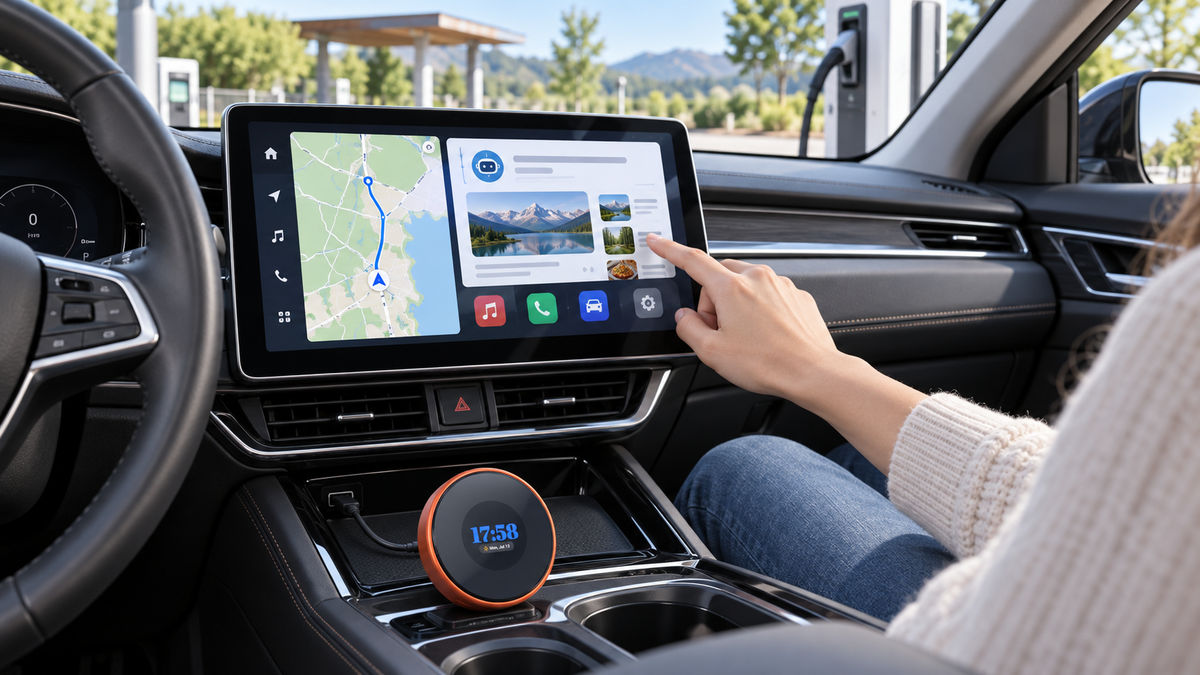
Modern factory infotainment systems are useful, but many still offer a limited selection of apps and depend heavily on a connected smartphone.
A standard wireless CarPlay adapter can remove the cable, but it does not fundamentally change what the factory screen can do. A 5G CarPlay AI box goes much further by adding its own Android operating system, mobile internet connection, storage, GPS, and access to compatible apps.
So, what exactly is a 5G CarPlay AI box, how is it different from a basic wireless adapter, and is it the right upgrade for your vehicle? This guide explains the essential differences before you decide.

Quick answer
A 5G CarPlay AI box is a compact Android device that works with a compatible factory infotainment system. It can add independent mobile internet, Android apps, GPS, AI tools, wireless phone connectivity, and additional media options without replacing the original dashboard screen.
What Is a 5G CarPlay AI Box?
A 5G CarPlay AI box is a compact device that connects to a compatible factory infotainment system through the vehicle's USB or USB-C port.
Once connected, it can add a standalone Android interface to the original dashboard display. Instead of relying entirely on a phone, the AI box uses its own processor, memory, storage, and operating system.
Depending on the model, it may support:
- Independent 5G or 4G mobile internet
- Google Play and compatible Android apps
- Wireless or wired CarPlay
- Wireless or wired Android Auto
- Independent GPS navigation
- AI apps and voice-enabled tools
- AirPlay and Miracast screen mirroring
- Local media storage and HDMI output
An AI box does not replace the factory display. It works with the vehicle's existing compatible infotainment system and uses the original screen and audio system.
5G CarPlay AI Box vs. Wireless CarPlay Adapter
Wireless CarPlay Adapter
A basic wireless adapter mainly converts an existing wired CarPlay connection into a wireless one. Your phone still provides the apps, internet connection, GPS, and processing power.
5G CarPlay AI Box
A 5G AI box works more like a small Android computer. It can run compatible apps independently and connect to the internet through a compatible SIM card or Wi-Fi.
What Can You Do With a 5G CarPlay AI Box?
1. Access the Internet Without a Phone Hotspot
One of the biggest advantages of a 5G AI box is its ability to connect directly to a mobile network. After inserting a compatible SIM card with an active data plan, the device can access online navigation, music, app downloads, and other internet services without using the phone's hotspot.
This can reduce phone battery drain and allows the car system to remain online even when the phone is not inside the vehicle. Network speed and availability still depend on the carrier, data plan, and local 5G or 4G coverage.

2. Download Compatible Android Apps
Unlike standard CarPlay, which limits the types of apps shown on the dashboard, an Android AI box can provide access to Google Play and compatible APK installations.
Depending on availability and regional restrictions, users may install apps such as:
- Google Maps
- Waze
- Spotify
- YouTube
- Netflix
- TikTok
- Podcasts
- Compatible AI applications
3. Use AI Tools From the Factory Display
An Android-based AI box can support compatible AI apps such as Gemini, ChatGPT, Claude, and Perplexity. These tools may help with practical travel-related tasks.
- Plan a road trip or create a travel itinerary
- Find destinations and ideas for stops
- Translate useful phrases
- Summarize general information
- Use compatible voice-enabled AI features

4. Navigate With Independent GPS
Some AI boxes include their own GPS module, reducing dependence on the connected phone for positioning. This allows compatible navigation apps such as Google Maps and Waze to run directly on the Android system. GPS performance can still be affected by tunnels, underground parking areas, tall buildings, and other environments that obstruct satellite signals.
5. Keep Using CarPlay and Android Auto
Installing an AI box does not necessarily mean giving up the familiar phone interface. Compatible devices can still support CarPlay and Android Auto, allowing users to switch between the standalone Android system and their preferred phone connection.
6. Mirror a Smartphone Screen
Many AI boxes also support wireless screen mirroring. iPhone users may be able to cast compatible content through AirPlay, while supported Android phones can use Miracast. Screen mirroring should only be used when it is safe and legal to do so.
7. Store Apps and Offline Media
An AI box with built-in storage can keep apps, downloaded maps, and compatible offline media directly on the device. Models with TF card expansion offer additional room for music, videos, and other files, which can be useful during trips through areas with limited mobile coverage.
Do You Need a SIM Card?
Not always. A compatible AI box can generally access the internet in two ways:
- Insert a compatible SIM card and use the device's built-in 5G or 4G connection.
- Connect the device to a phone hotspot or another Wi-Fi network.
A SIM card provides the most independent experience because the system does not need the phone to remain connected. However, it also requires a separate mobile data plan. Check supported network bands and carrier compatibility before purchasing a plan.
Is a 5G CarPlay AI Box Compatible With Every Car?
No. Compatibility must be checked before purchase.
A CarPlay AI box is designed for vehicles with a compatible factory CarPlay or Android Auto system. Compatibility can vary according to the vehicle brand, model, year, infotainment system, USB protocol, and factory configuration.
Check these four items before ordering:
- Does the vehicle have factory CarPlay or Android Auto?
- Does the system use a USB-A or USB-C connection?
- Is the screen touch-controlled or operated by knobs and buttons?
- What is the exact vehicle year, model, and infotainment version?

How Difficult Is Installation?
Installation is usually straightforward and does not require replacing the factory radio.
- Connect the AI box to the correct vehicle USB or USB-C port.
- Wait for the factory infotainment system to recognize the device.
- Complete the initial Android setup.
- Connect to Wi-Fi or insert a compatible SIM card.
- Pair an iPhone or Android phone if CarPlay or Android Auto is needed.
- Download compatible apps from Google Play.
Who Should Consider a 5G CarPlay AI Box?
- Drivers who frequently take long road trips
- Families who want more passenger entertainment options
- People who do not want to rely on a phone hotspot
- Drivers who use online navigation every day
- Users who want Android apps on the factory display
- Owners of compatible non-touch infotainment systems
- Drivers who want both CarPlay and a standalone Android interface
A Practical Example: LAMTTO RC31
The LAMTTO RC31 5G LTE CarPlay AI Box is designed as a standalone smart system rather than a basic wireless adapter.
RC31 also supports Google Play, compatible APK installation, HDMI output, OTA system updates, and an integrated touchpad for compatible non-touch displays.
With a compatible SIM card and data plan, RC31 can access online services without using a phone hotspot. A SIM card is optional because the device can also connect through Wi-Fi or a phone hotspot. Compatibility varies by vehicle model, year, and factory infotainment system, so the vehicle setup should always be confirmed before ordering.

Final Thoughts
A 5G CarPlay AI box can make a compatible factory infotainment system significantly more flexible without replacing the original display.
Its biggest advantage is independence. Instead of using the phone for every app, internet connection, and navigation task, the AI box can operate as its own Android device while still supporting familiar CarPlay and Android Auto connections.
For drivers who only want wireless CarPlay, a basic adapter remains the simpler solution. For those who want independent 5G connectivity, Android apps, AI tools, GPS, and additional storage, a device such as RC31 provides a more complete dashboard upgrade.
Ready to explore RC31?
Check the latest specifications and confirm compatibility with your vehicle.
View LAMTTO RC31


コメントを書く
全てのコメントは、掲載前にモデレートされます
このサイトはhCaptchaによって保護されており、hCaptchaプライバシーポリシーおよび利用規約が適用されます。