





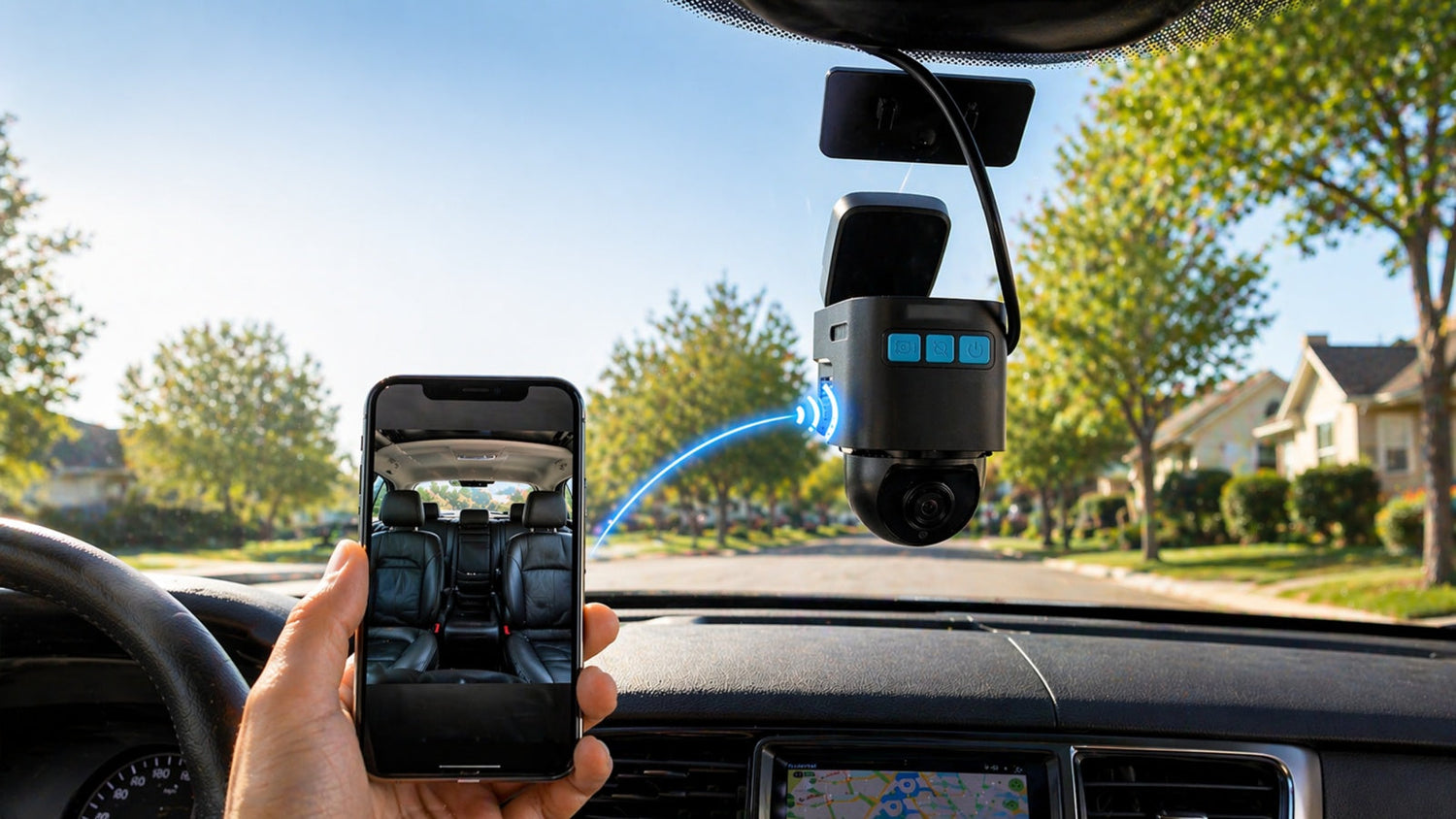
If you are looking for a dash cam that can record driving footage and also allow remote access, some models now include 4G connectivity and app-based monitoring.
The Lamtto DC22 Security Camera for Car is one example. It combines standard dash cam functions with the ability to connect to a mobile app for remote viewing.
This article summarizes its setup process, key functions, and what to expect in actual use.
📦 What Comes in the Box
The package includes:
- Dash cam unit (front-facing + interior camera)
- Mounting bracket and adhesive pad
- OBD2 power adapter
- USB-C power cable
- 32GB microSD card
- Cable clips and installation tools
These accessories are intended to support installation without needing additional parts.
⚙️ Installation Overview
The device is powered through the vehicle’s OBD2 port, which is typically located under the dashboard on the driver’s side.
Basic setup steps:
- Plug the OBD2 adapter into the port
- Attach the camera to the windshield
- Route and secure the cable along the trim
- Connect the power cable to the camera
Installation may vary depending on the vehicle, but the included tools are designed to help with cable management.

📱 App Setup and Pairing
The DC22 works with the Ubox Pro app, which is used to connect and manage the device.
Setup process:
- Download the app (QR code available in the manual)
- Register an account and log in
- Add the device by scanning the QR code
- Wait for the device indicator light to become stable
- Complete pairing through the app
After setup, the app can display a live camera feed.

🌐 Remote Access Function
With a built-in SIM card and 4G connectivity, the device allows remote access through the app.
This means you can:
- View the camera feed without being in the car
- Check the surroundings when the vehicle is parked
- Access the system using your account
⚠️ Notes on Connectivity
- The device includes a trial period for data usage
- Continued remote access requires a paid data plan
- Availability and performance depend on network coverage
📥 Accessing Video Footage
In addition to recording on the SD card, the system supports accessing video clips through the app.
This allows you to:
- View recorded clips remotely
- Download selected footage to your phone
This may be useful if you need access to recordings without physically removing the memory card.

🎥 Recording and Video Details
- Resolution: 1920 × 1080
- Data overlay includes:
- Date and time
- GPS location
- Vehicle speed
The device records both forward-facing and interior views.
🌙 Low-Light Recording
In low-light conditions:
- The interior camera uses infrared mode
- This allows basic visibility inside the vehicle at night
Image clarity will depend on lighting conditions and environment.
🚘 Typical Use Cases
This type of device may be relevant in situations such as:
- Monitoring a parked vehicle
- Managing shared or family cars
- Keeping records for work-related driving
- Fleet or company vehicle tracking
Actual usefulness depends on individual needs and how frequently remote access is required.
🧠 Summary
The Lamtto DC22 combines standard dash cam recording with remote access through a mobile app.
However, it is important to note:
- Remote features rely on mobile data and subscription
- Performance depends on network conditions
- It differs from traditional dash cams in how footage is accessed
Understanding these points can help set realistic expectations before use.
📩 Need Help?
If you have any questions or need assistance with setup or usage:

Leave a comment
All comments are moderated before being published.
Este site está protegido pela Política de privacidade da hCaptcha e da hCaptcha e aplicam-se os Termos de serviço das mesmas.