





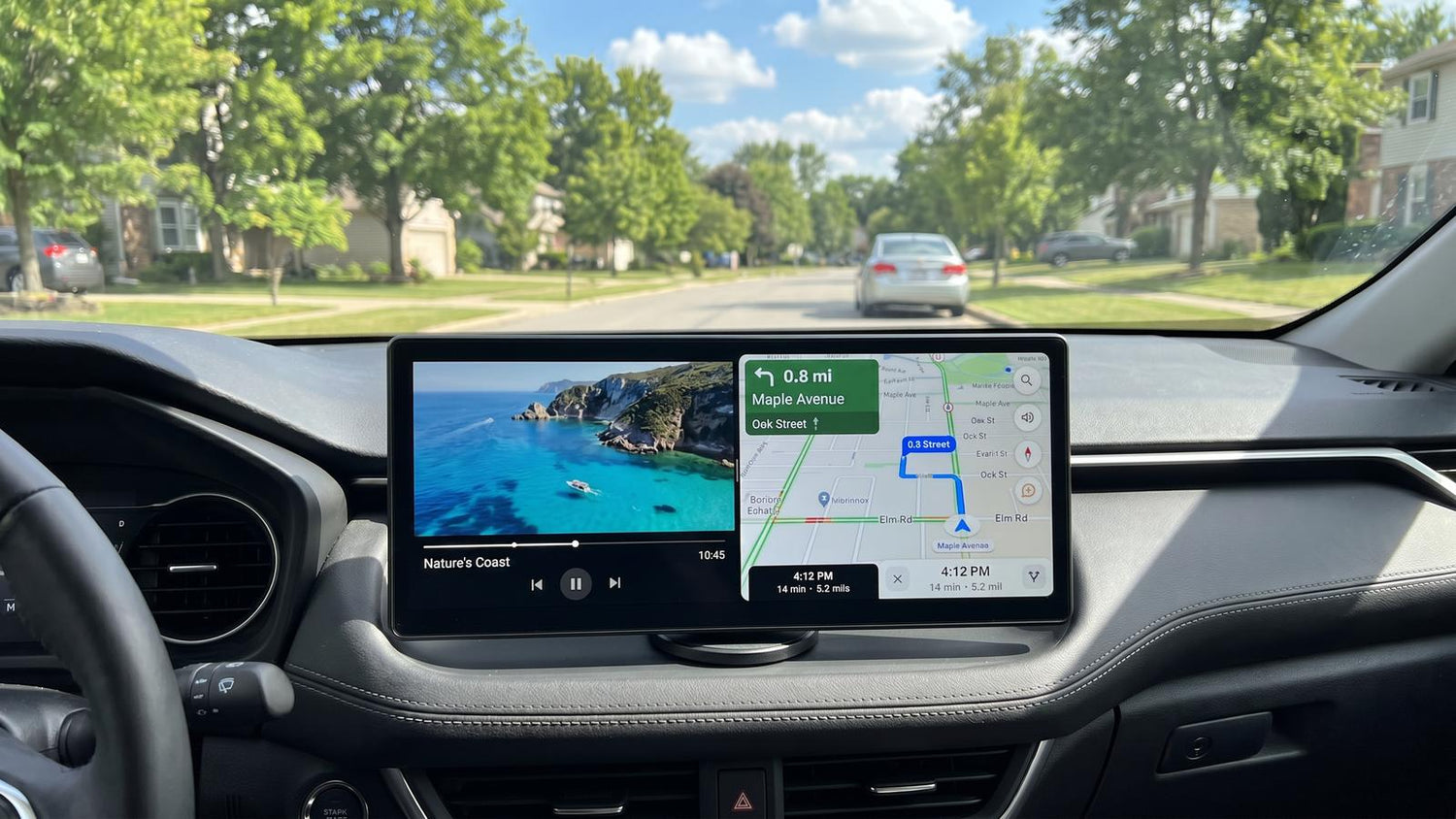
For car owners looking to upgrade to a modern smart in-car ecosystem — without removing the factory stereo or modifying the dashboard wiring — the Lamtto RC32 AI Car Display offers a portable upgrade solution that combines wireless projection (CarPlay / Android Auto) with a standalone Android smart system.
This technical breakdown provides an objective overview of the device based on its actual hardware specifications, multimedia compatibility, in-car audio integration methods, and rear recording functionality, helping you gain a thorough understanding of what the RC32 brings to the driver's seat.
 What's in the Box
Lamtto packages the RC32 with everything needed for a complete installation:
Hardware and Build
Display
The RC32 features an 11-inch LCD panel with a 1920 × 720 resolution. The aspect ratio is notably wider and narrower than a conventional 16:9 or 4:3 display — a design choice that prioritizes a low-profile dashboard footprint. The display refreshes at 60 Hz, delivering smooth scrolling and responsive touch interaction.
Viewing angles are generous from both above and below, and the panel brightness is adequate for daytime in-car use. Passive cooling vents along the top edge dissipate heat without active fans.
 Ports and Controls
The left edge houses the full I/O array:
| Port | Function |
|---|---|
| USB-C | Powers the display (12V adapter included) |
| 2.5 mm Jack | Rear camera input |
| MicroSD Card Slot | Expandable storage for apps, media, and DVR recordings |
| 3.5 mm Auxiliary | Wired audio output to the car stereo |
A physical power button on the top edge handles sleep and wake. A pinhole reset button on the rear panel allows system recovery. The built-in GPS module enables standalone navigation through Android apps without depending on the phone's GPS. An integrated speaker and microphone are also included — the speaker grill sits on the rear, while the microphone is positioned near the top edge.

Processor and Memory
The Allwinner A537 octa-core processor with Mali G57 GPU is purpose-tuned for in-vehicle use — that means smooth 1080p video streaming, responsive navigation, fluid menu transitions at 60 FPS, and casual gaming all run comfortably within its performance envelope. The chipset prioritizes consistent, reliable operation for the core driving and entertainment features that matter most on the road. Software and Interface
Home Screen and Launcher
On boot, the RC32 lands on a "Now Playing" home screen with persistent shortcuts for brightness, microphone access, and multitasking management. A side dock — configurable for left or right-hand placement during initial setup — provides quick access to core functions.
The interface runs at a fluid 60 FPS with no perceptible stutter in menu navigation. Customization options include:
- Boot Logo — replace the startup animation with a car brand logo or custom image
- Wallpaper — change the background to match the vehicle interior
- Dock Position — left or right-hand orientation
- Audio Settings — select between FM transmission, auxiliary, and Bluetooth output
- System Updates — over-the-air firmware updates
 Pre-Installed Applications
The RC32 ships with a curated set of applications:
- YouTube — pre-installed and formatted correctly, including vertical Shorts playback
- Netflix — pre-installed with easy account login; content renders in a clear, touch-friendly layout
- Disney+ — pre-installed
- Google Suite — Play Store, Chrome, Maps, YouTube Music
- Google Gemini — AI assistant, integrated through Android 15
- File Manager — access to internal storage and TF card contents
- Video & Music Players — local media playback apps
- DVR — rear camera loop recording
Third-party applications can be installed from the Google Play Store or sideloaded via the TF card, making the RC32 essentially an open Android tablet.
Connectivity
Wireless CarPlay and Android Auto
Both Apple CarPlay and Android Auto connect wirelessly. Initial pairing is straightforward: enable Bluetooth on the phone, select the RC32 from the available devices, confirm the pairing code, and the connection establishes automatically. No additional CarPlay authorization is required on the iPhone side.
Dual Wi-Fi and Hotspot Operation
Split-Screen Mode
The launcher includes a 50/50 split-screen function. CarPlay or Android Auto occupies one half, while any Android application — YouTube, Maps, the reverse camera feed — runs on the other. This makes it easy for a passenger to enjoy a video while the driver keeps navigation in view. Switching back to a full-screen CarPlay view takes just a few seconds and reconnects automatically. Android Auto resumes without any reconnection step, making split-screen transitions especially smooth. Audio Output Methods
The RC32 offers three audio pathways to the car's sound system, ranked from entry-level to premium:
① FM Transmission — Entry-Level
The display transmits audio over a user-selected FM frequency (tested at 107.4 MHz). The power cable doubles as the FM antenna — uncoiling it improves signal clarity.
- Pros: Works in any car with an FM radio; completely wireless
- Cons: A faint background hiss persists even on a clean frequency; sound quality is the weakest of the three options; audio can occasionally desync
② Auxiliary Cable — Mid-Range
A 3.5 mm auxiliary connection via the included cable. The RC32 auto-detects the cable insertion and routes audio accordingly.
- Pros: Zero background hiss; reliable wired connection; auto-switching on the car stereo; noticeably cleaner sound than FM
- Cons: Adds a visible cable to the installation
③ Bluetooth Transmission — Best
The display pairs directly with the car stereo as a Bluetooth audio source — the phone is not involved in the audio chain. This is a significant architectural advantage: many competing displays route audio through the phone to the car, adding latency and compression.
- Pros: Wireless freedom; best sound quality; steering wheel track controls function correctly; car stereo displays track information and can control playback
- Cons: Pairing process varies by vehicle; requires a Bluetooth-capable car stereo
 Rear Camera and DVR
The included 1080p rear-facing camera connects via the 2.5 mm jack — no cable splicing is required, a notable improvement over earlier implementations. Once connected, the reverse feed appears automatically on the display with parking guide lines overlaid.
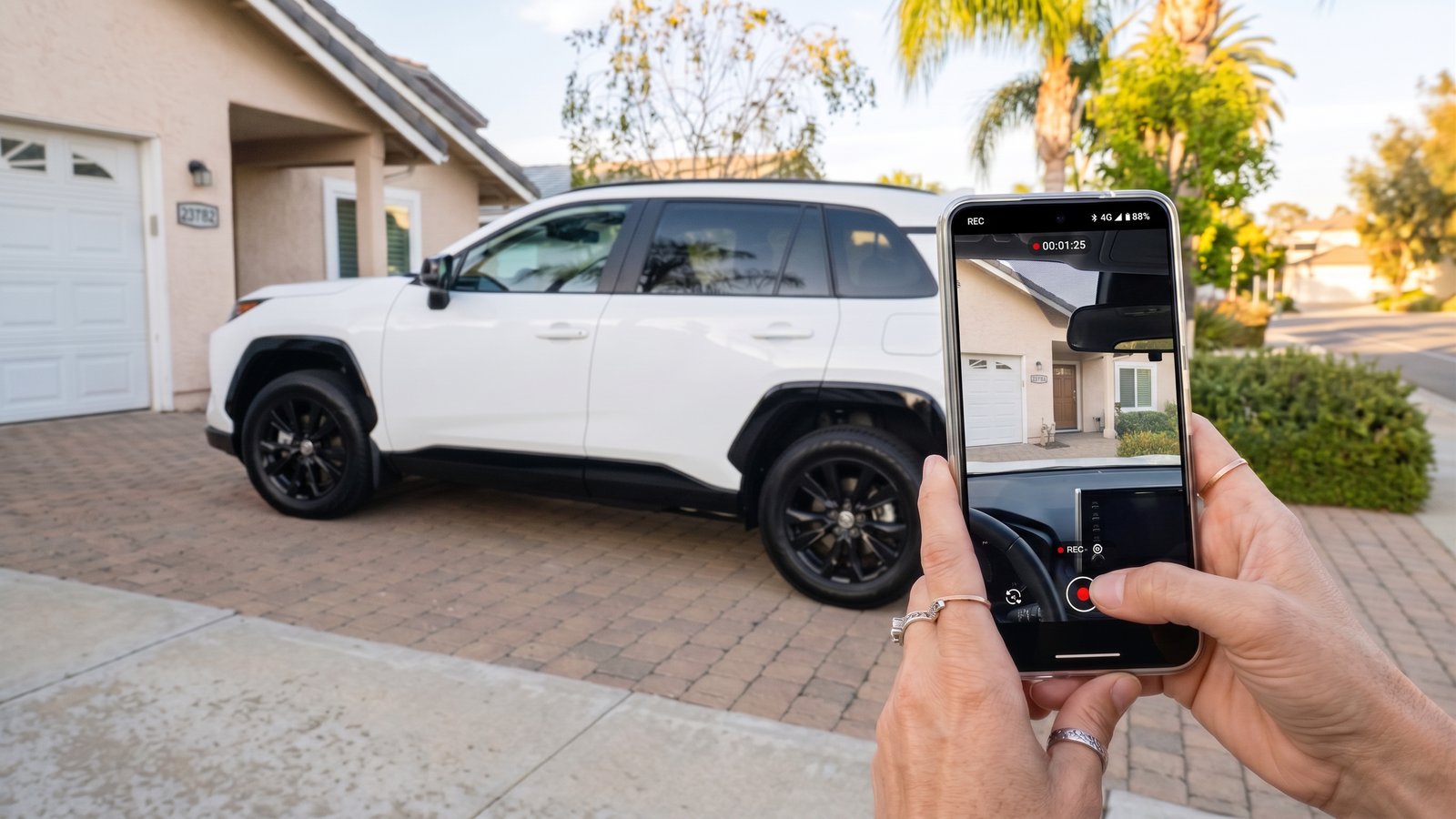
The DVR function continuously loop-records the rear camera feed to internal storage (or TF card). A snapshot button captures still frames — useful for documenting a tailgating vehicle's license plate. The camera feed can also be displayed while driving via the DVR app, and it integrates with split-screen mode alongside navigation or CarPlay.
 Media Playback Performance
Streaming (YouTube, Netflix, Spotify)
- YouTube: Opens quickly; smooth 1080p playback with ~100 ms A/V sync — well within acceptable lip-sync range. YouTube Shorts format correctly without the scaling issues that plague some automotive displays.
- Netflix: Pre-installed and ready to go. Content streams smoothly with good audio-visual sync. The interface presents large, easy-to-tap thumbnails that work well at a glance while parked.
- Spotify: Loads promptly; audio plays through the selected output method without issues.
Local Media (TF Card)
Using VLC (installed from the Play Store), local media playback is tested across resolutions:
| Resolution | Result |
|---|---|
| 1080p | ✅ Smooth, properly cropped, no issues |
| 4K 30fps | ⚠️ Plays acceptably; occasional micro-stutter |
| 4K 60fps | ⚠️ Best experienced at 1080p — 4K 60fps content is optimized for 1080p playback on this display |
For practical use, 1080p content from the TF card plays flawlessly with correct aspect ratio scaling.
Gaming
Touch-based games (tested with Crossy Road) run at a smooth 60 FPS with full shadow rendering. The touch panel is responsive, and because input is direct rather than routed through a car display intermediary, there is no additional input latency.
 AI Integration: Google Gemini
Google Gemini comes integrated through Android 15. Activating the AI assistant can be done via the on-screen microphone shortcut or — depending on the vehicle — through the steering wheel voice button.
Gemini can answer route-specific queries (nearest gas station, points of interest, parking availability), analyze on-screen content, control playback, and handle general knowledge questions. In practice, this transforms a basic non-connected car into a voice-controlled smart environment, extending well beyond what CarPlay or Android Auto alone provide.
Who Is the RC32 For?
Verdict
The Lamtto RC32 AI Car Display is a feature-dense 11-inch car display that earns its place through breadth rather than polish. The combination of a full Android 15 OS, dual Wi-Fi for simultaneous hotspot and phone projection, direct Bluetooth audio transmission to the car stereo, a no-splice 1080p DVR camera, and Google Gemini AI integration creates a capability set that few competitors match at this price.
Like any multi-function device, the RC32 makes considered design choices — a wide 1920×720 form factor that sits low on the dash, an octa-core processor optimized for smooth media and navigation rather than desktop-class 3D workloads, and touch-first gaming that keeps things simple without extra peripherals.
For Android users — particularly those with older vehicles lacking any form of smartphone integration — the RC32 presents a compelling all-in-one upgrade. The Bluetooth audio pathway, which pairs the display directly with the car stereo and preserves steering wheel controls, is the standout audio implementation. For iPhone users who prioritize seamless, low-latency CarPlay above all else, a dedicated wireless CarPlay adapter paired with a standard display may be the more focused alternative.
The RC32 does not try to be the best at any single thing. Instead, it offers an unusually broad toolkit — and for the right buyer, that breadth is exactly the point.


Lämna en kommentar
Alla kommentarer modereras innan de publiceras.
Denna webbplats är skyddad av hCaptcha och hCaptchas integritetspolicy . Användarvillkor gäller.