





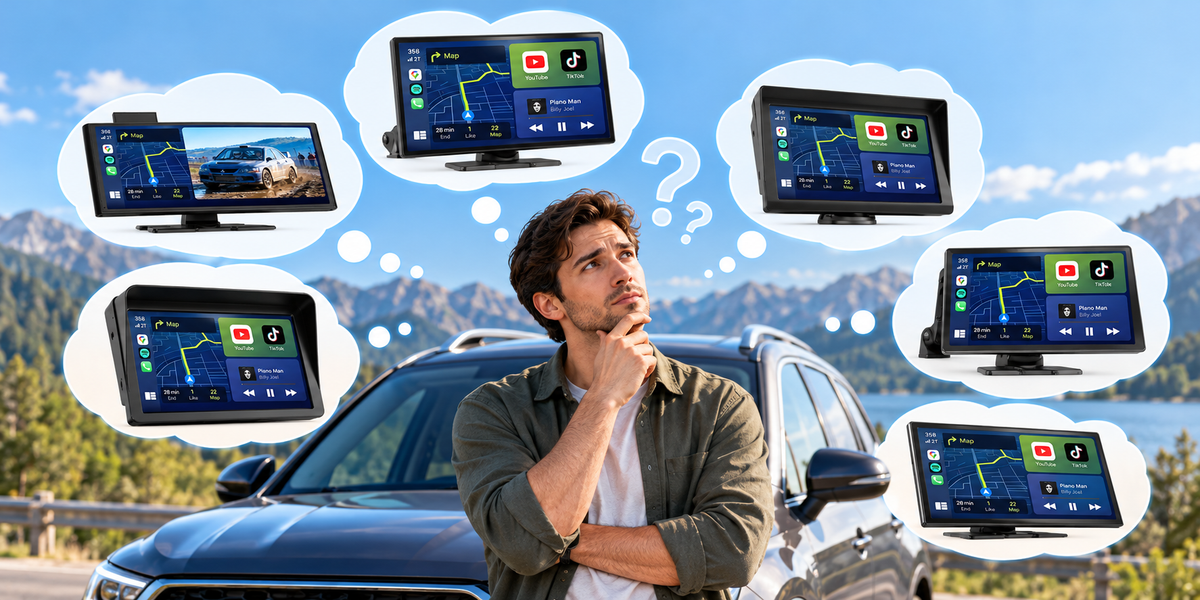
Shopping for a CarPlay screen sounds simple—until you start comparing different models.
Some screens are designed mainly for wireless CarPlay and Android Auto. Others add backup cameras, larger displays, streaming apps, or AI-powered features. Screen sizes can also range from compact displays to large 10-inch or 11-inch screens.
So how do you know which one is actually right for your car?
The answer isn't necessarily to choose the model with the most features.
Instead, start with one simple question:
What do you want to improve about your current car?
Your answer can make choosing the right CarPlay screen much easier.
1. Start With Your Current Car

Before looking at screen size, cameras, or entertainment features, take a look at your existing infotainment system.
Ask yourself:
-
Does my car already have Apple CarPlay?
-
Does it support Android Auto?
-
Is the factory screen too small?
-
Is the screen outdated?
-
Do I want a larger display?
-
Do I need a backup camera?
-
Do I want video or additional apps?
-
Do I want to avoid replacing the factory stereo?
These questions matter because different CarPlay screens solve different problems.
For example, if your car already has a good display but you simply want wireless connectivity, you may not need a large entertainment-focused screen.
On the other hand, if your factory screen is small or outdated, adding a larger portable display can make a much bigger difference.
2. If You Mainly Want Wireless CarPlay and Android Auto
For some drivers, the problem is simple:
“I just don't want to plug my phone in every time I get into the car.”
If that's your main reason for upgrading, a basic wireless CarPlay screen may be all you need.
These screens are designed to provide easy access to:
-
Wireless Apple CarPlay
-
Wireless Android Auto
-
Navigation
-
Music
-
Calls
-
Messages
-
Voice assistants
You don't necessarily need the most advanced model available.
A straightforward screen can be a better choice if your goal is simply to make everyday driving more convenient.
LAMTTO offers several basic wireless CarPlay screens in different sizes, including 7-inch and 9.26-inch options.
Best for:
Drivers who want:
-
Simple wireless connectivity
-
Easy navigation
-
Music and calls
-
A straightforward upgrade
-
A budget-friendly solution
If you mainly want to get rid of cables, don't pay for features you won't use.
3. If Your Biggest Problem Is a Small Factory Screen
Maybe your car already has CarPlay.
Maybe everything technically works.
But the display is simply too small.
This can become frustrating when using navigation, especially when you need to glance at the map quickly while driving.
In this situation, screen size may matter more than advanced software features.
A larger portable CarPlay screen can provide:
-
A larger navigation map
-
Easier-to-read directions
-
More visible information
-
A more comfortable interface
-
A modern look without replacing the factory stereo
LAMTTO's lineup includes larger displays such as the 10.25-inch RC29 and 11-inch RC32 and RC35.
The important thing to remember is that bigger isn't automatically better.
A large screen takes up more dashboard space, so consider where you plan to mount it before choosing the biggest option.
Best for:
Drivers who:
-
Find their factory screen too small
-
Use navigation frequently
-
Want a larger interface
-
Don't want to replace the original stereo
4. If You Want a Backup Camera Too

A CarPlay screen can do more than display navigation.
For many drivers, adding a backup camera is one of the most practical reasons to upgrade.
If your vehicle doesn't already have a good rear camera, choosing a CarPlay screen that includes one can combine two upgrades into one setup.
A backup camera can make it easier to:
- Reverse into parking spaces
- Check what's behind the vehicle
- See obstacles that may be difficult to spot from the driver's seat
- Improve visibility when backing up
Some LAMTTO CarPlay screens include rear or dual-camera configurations. For example, the RC06 includes dual cameras, while models such as the RC30 and RC29 are available with rear-camera configurations.
Best for:
Drivers who:
- Don't have a factory backup camera
- Want better rear visibility
- Are replacing or upgrading an older camera
- Prefer combining multiple functions into one device
When choosing a model with a camera, also check the camera resolution, viewing angle, mounting position, and installation requirements.
5. If You Want Netflix, YouTube, and More Entertainment

Some drivers want more than navigation and phone integration.
Maybe you spend a lot of time on road trips.
Maybe you frequently wait in your vehicle while charging an EV.
Or perhaps you simply want your car display to do more when the vehicle is parked.
This is where a CarPlay screen with built-in entertainment apps can make more sense.
Depending on the model, these screens can provide access to entertainment platforms such as YouTube and Netflix, in addition to CarPlay and Android Auto.
LAMTTO's current lineup includes models such as the RC29, RC30, and RC35, which are designed around a combination of CarPlay, Android Auto, and entertainment features.
However, there is an important distinction:
Entertainment features are for use when parked.
Video streaming should never become a distraction while driving.
Best for:
Drivers who:
-
Take frequent road trips
-
Spend time waiting in the car
-
Want more entertainment options
-
Want more than basic CarPlay
6. If You Want AI and More Advanced Features

Some drivers don't just want a bigger screen.
They want a more capable smart system.
If you want access to Android apps, Google Play, AI tools, or more advanced connected features, a standard CarPlay screen may not be enough.
This is where an AI-enabled CarPlay screen or AI Box becomes more interesting.
For example, LAMTTO's RC32 combines an 11-inch display with Android-based functionality, Google Play, and Gemini AI features.
Other advanced systems, such as the RC31 AI Box, take a different approach by upgrading a compatible existing factory display instead of adding another screen.
The important question is:
Do you need a smarter screen, or do you need to make your existing screen smarter?
Those are two different upgrade paths.
If your factory screen is already good, an AI Box may make more sense.
If the screen itself is the problem, an AI CarPlay display may be the better option.
7. How Big Should Your CarPlay Screen Be?
Screen size is one of the easiest specifications to compare, but it shouldn't be the only one.
7-inch
A good choice if you want something compact.
Advantages:
-
Takes up less dashboard space
-
Easy to position
-
Simple and unobtrusive
8-inch
A middle-ground option.
It offers more viewing area without becoming as large as some of the biggest displays.
9-inch to 9.26-inch
A popular choice for drivers who want a noticeably larger navigation interface without going all the way to an extra-large display.
LAMTTO offers several screens around this size, including the RC06, RC14, and RC16.
10.25-inch to 11-inch
Best for drivers who prioritize a large display.
The larger interface can be especially useful for navigation and entertainment.
However, make sure your dashboard has enough space before choosing a large screen.
The right size is not the biggest size.
It's the size that gives you the visibility you want without making your dashboard feel crowded.
8. Think About How You Want to Control the Screen
Screen size and features are important, but usability matters just as much.
Think about:
-
Is the display easy to reach?
-
Can you see it clearly from your normal driving position?
-
Does the mounting position block your view?
-
Can you control important functions through voice commands?
-
Will you be able to connect your phone easily?
The screen should make driving more convenient—not create another distraction.
That's why installation position is just as important as the device itself.
Place the screen where it is easy to see but does not obstruct your view of the road.
9. Don't Buy Features You Won't Use
One of the easiest mistakes when shopping for car technology is choosing based entirely on specifications.
More features don't automatically mean a better product for you.
For example:
If you only want wireless CarPlay, a basic model may be enough.
If you need a rear camera, choose a model that includes one.
If you frequently take long road trips and want entertainment features, consider a video-enabled model.
If you want Android apps and AI functionality, look at an AI-enabled system.
Your goal isn't to find the most powerful CarPlay screen.
Your goal is to find the right CarPlay screen for your driving habits.
10. A Simple CarPlay Screen Buying Checklist
Still not sure which type you need?
Use this quick checklist.
Choose a Basic Wireless CarPlay Screen if:
☐ You mainly want wireless CarPlay
☐ You want Android Auto
☐ You want simple navigation and music
☐ You prefer a more affordable option
☐ You don't need advanced entertainment features
Choose a Larger CarPlay Screen if:
☐ Your factory screen is too small
☐ You use navigation frequently
☐ You want a larger display
☐ You don't want to replace the factory stereo
Choose a Camera-Equipped Model if:
☐ Your car doesn't have a backup camera
☐ You want better rear visibility
☐ You want to combine CarPlay and camera functions
Choose an Entertainment-Focused Model if:
☐ You take frequent road trips
☐ You spend time waiting in the car
☐ You want YouTube or Netflix when parked
☐ You want more than basic smartphone integration
Choose an AI-Enabled System if:
☐ You want Android apps
☐ You want Google Play access
☐ You want AI features
☐ You want a more complete smart-car experience
Final Thoughts
Choosing a CarPlay screen doesn't have to be complicated.
You don't need to start with processor specifications, RAM, or a long list of features.
Start with your car.
What is missing from your current setup?
If you simply want wireless CarPlay and Android Auto, a basic screen may be enough.
If your factory display is too small, choose a larger screen.
If you need better visibility when reversing, look for a model with a backup camera.
If you want entertainment features for use when parked, consider a screen with built-in video apps.
And if you want to turn your car into a more capable smart system, an AI-enabled display may be the better choice.
LAMTTO's wireless CarPlay lineup includes different screen sizes and feature combinations, from basic wireless CarPlay displays to larger screens with cameras, entertainment apps, Google Play, and AI features.
The best upgrade isn't necessarily the one with the longest feature list.
It's the one that solves the problem you actually have.
Before you buy, identify that problem first—and choosing the right CarPlay screen becomes much easier.

コメントを書く
全てのコメントは、掲載前にモデレートされます
このサイトはhCaptchaによって保護されており、hCaptchaプライバシーポリシーおよび利用規約が適用されます。