


LAMTTO RC33 Mirror Touch Wireless CarPlay Adapter – Full Phone Mirroring & Touch Control

Klarna From $34.99 /month, or 4 interest-free payments with Klarna
Aanbiedingsprijs$139.99 Normale prijs$179.99
Bespaar $40.00
RC33 Selling Point - Title Aligned

Most Adapters Only Make CarPlay Wireless. RC33 Does More.

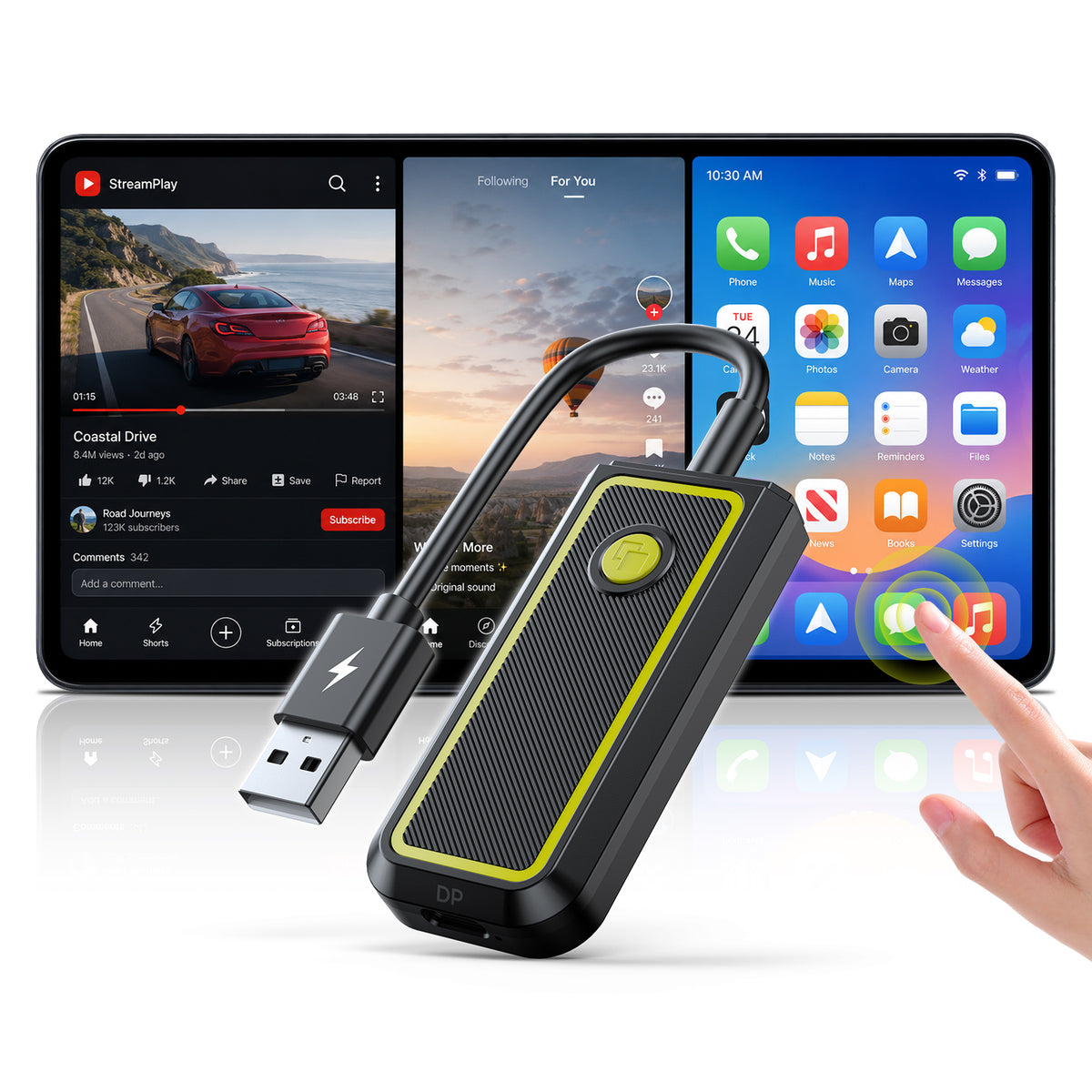
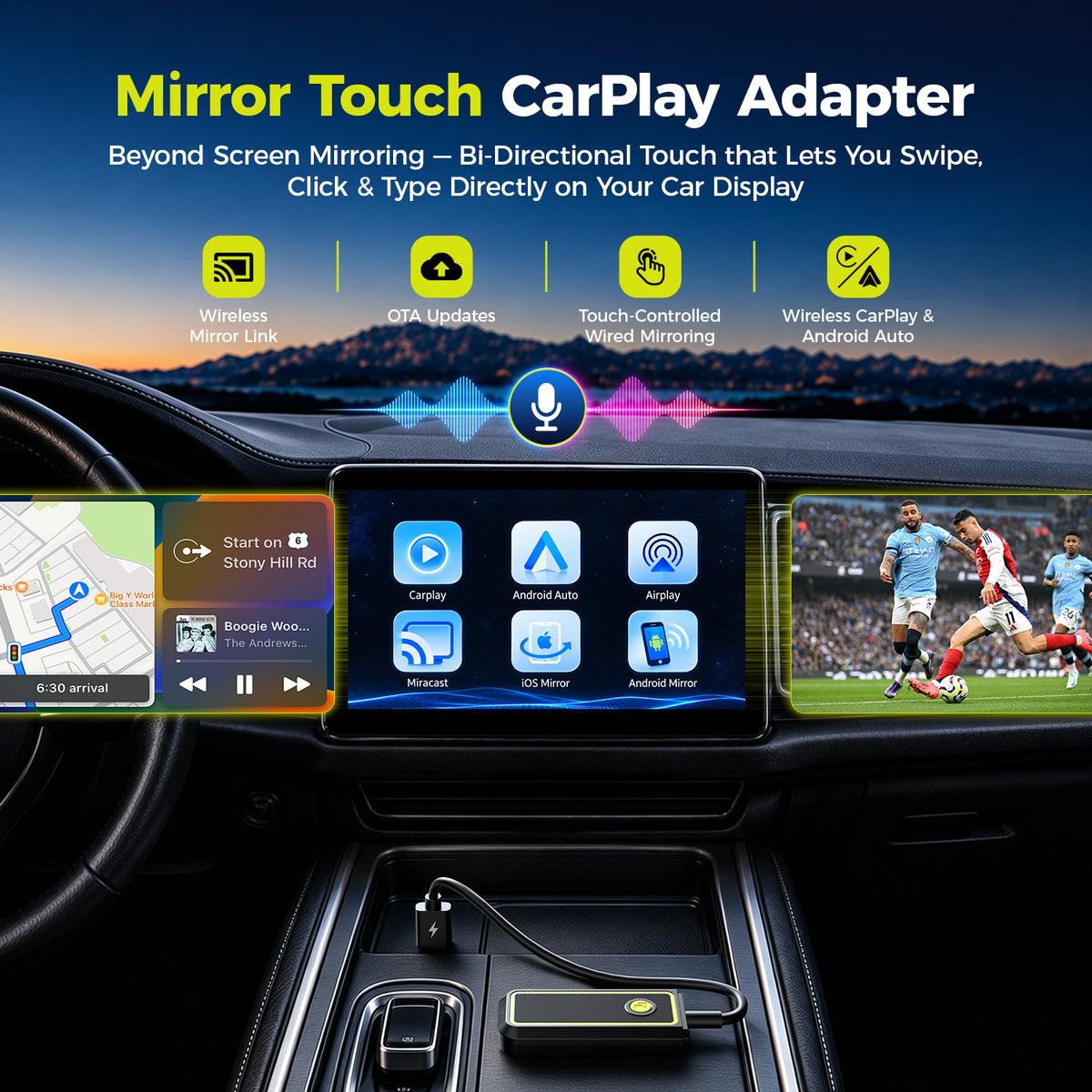
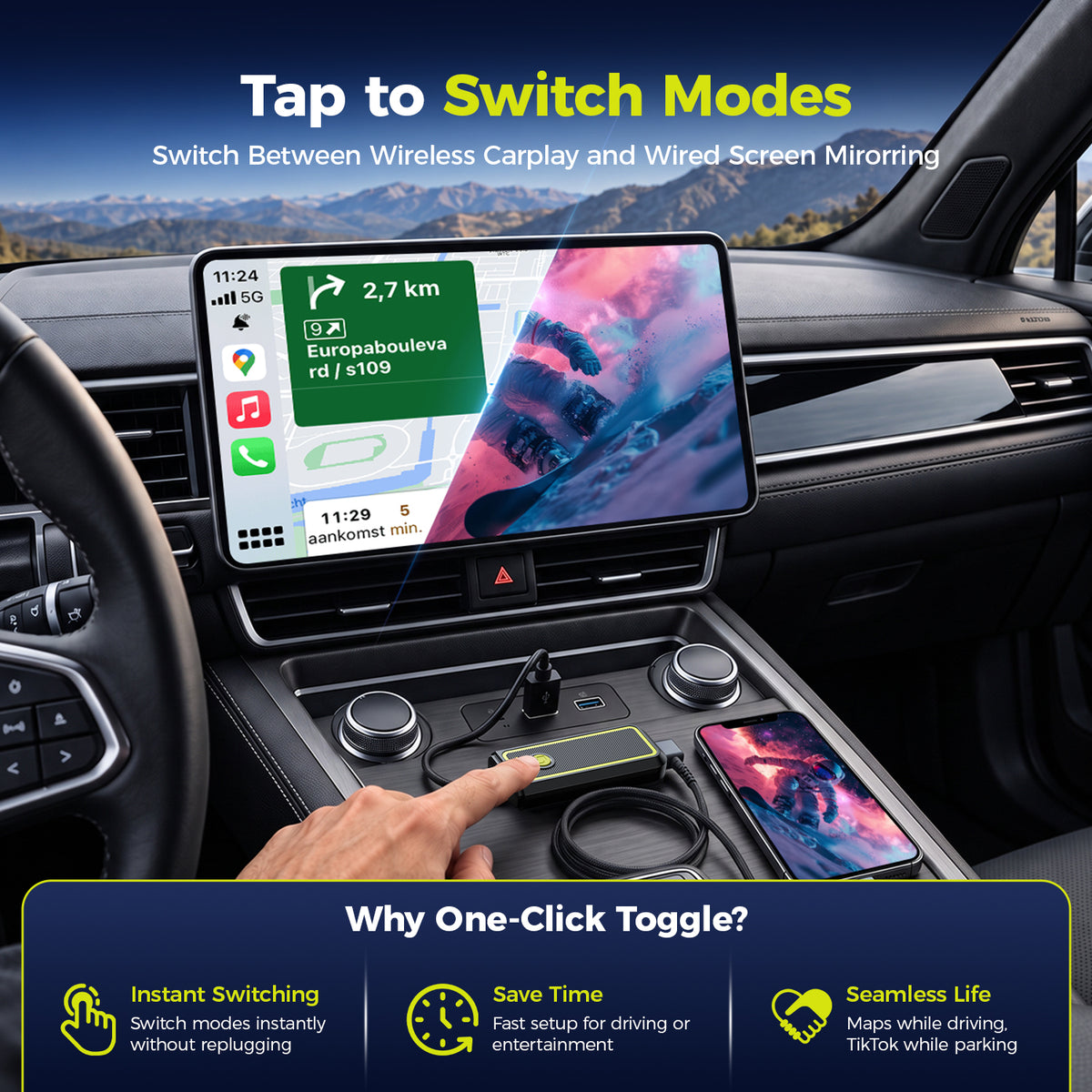
Mirror your full phone screen to your CarPlay screen and control it directly by touch—giving you access to more content right from your CarPlay.

✓ Full Phone Mirroring
✓ Touch Control
✓ More Content Access
RC33 Before You Buy - Aligned
i Before You Buy Compatibility Check
⌄

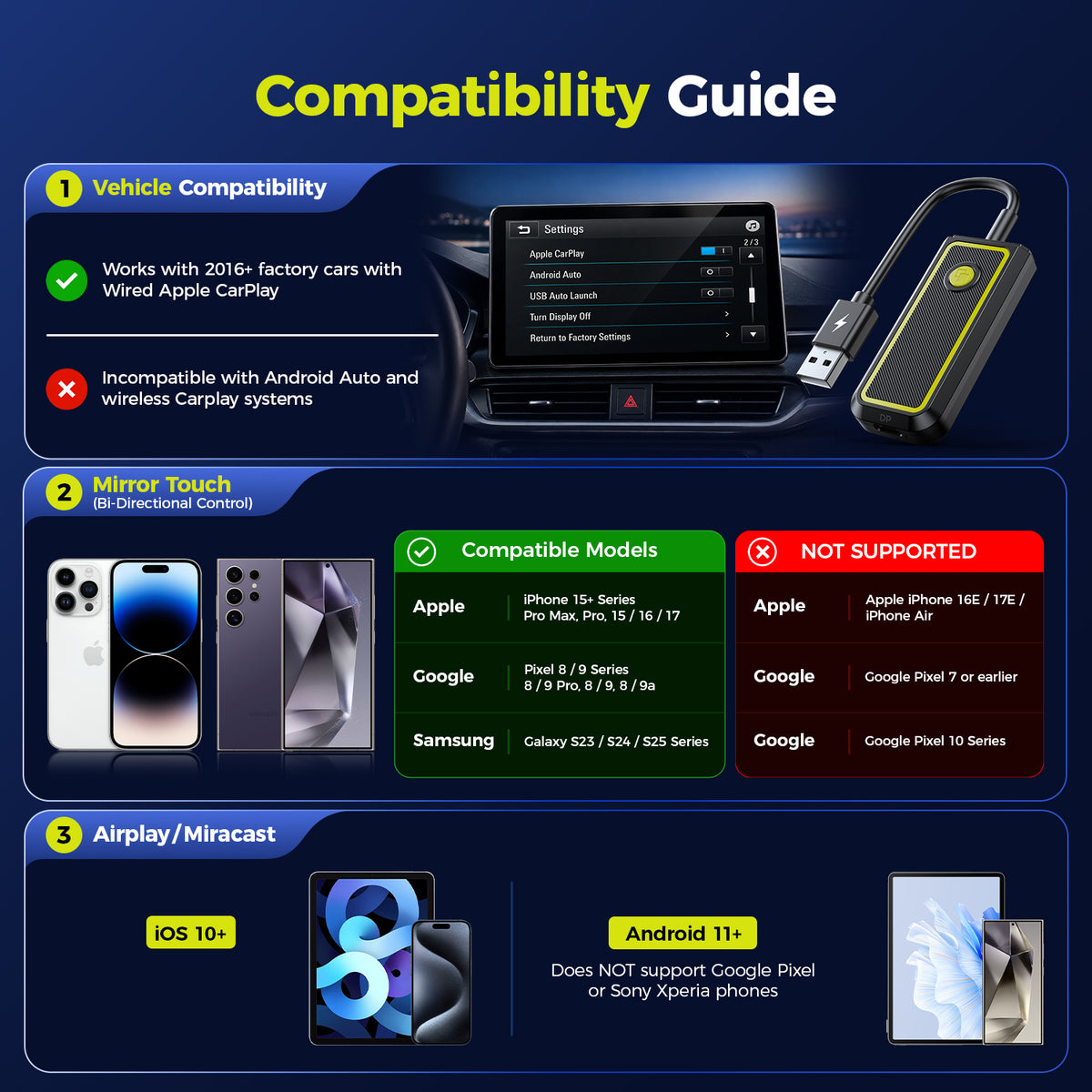
RC33 works with specific vehicle and phone configurations. Please check the requirements below before ordering.

✓
Vehicle: Factory Wired OEM Apple CarPlay Required

Your vehicle must already support factory wired Apple CarPlay. Android-based car stereos are not supported.

✓
Wireless Mode: iOS 10+ or Android 11+

For wireless use, your phone must run iOS 10 or later, or Android 11 or later.

✓
Wired Mirroring: DP Video Output Required

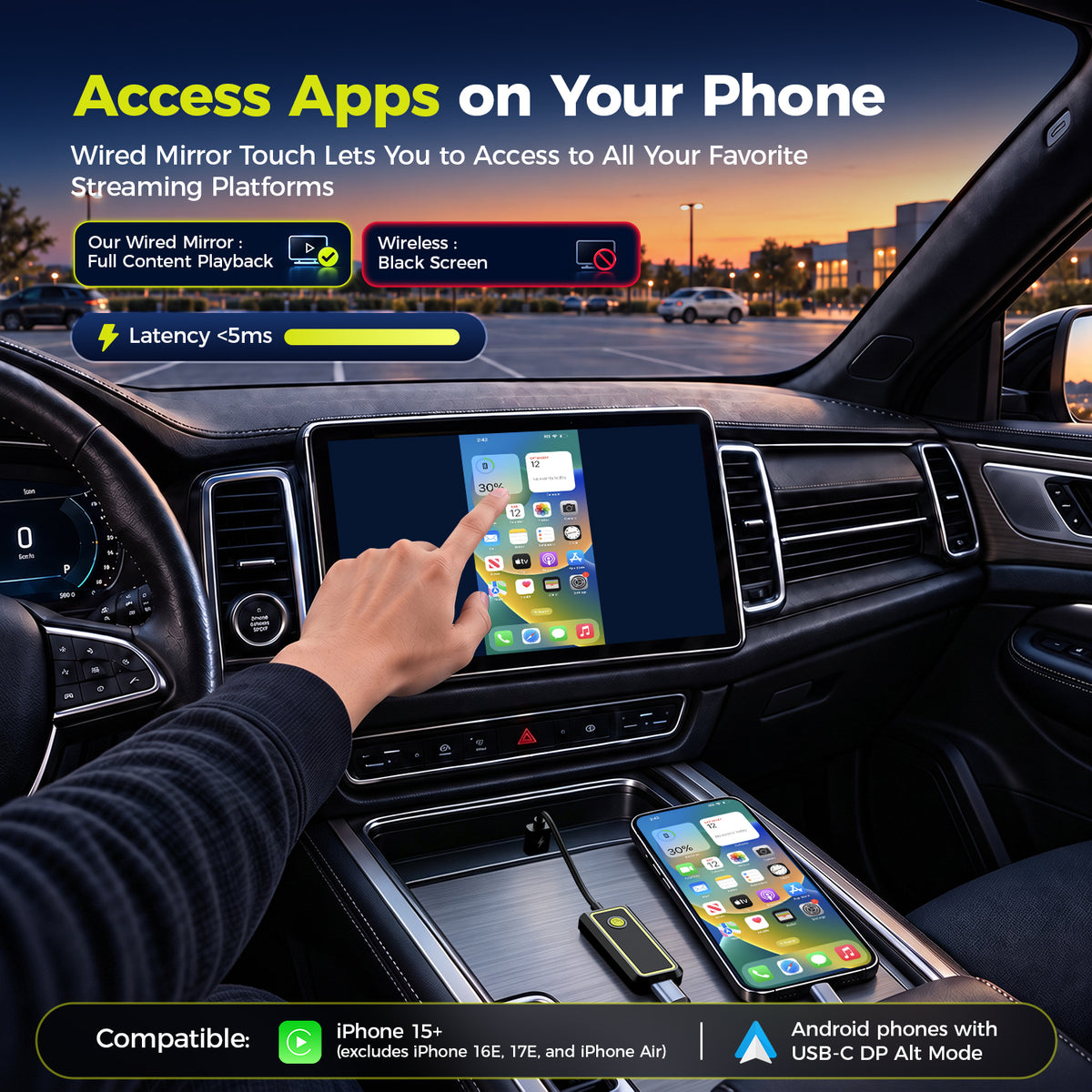
Supports iPhone 15 and newer models (excluding iPhone 16e, 17e and Air), plus select Android flagship phones with DisplayPort video output.

Please verify compatibility before purchase to make sure your vehicle and phone support the mode you plan to use.
The core difference

Control Your Phone From Your CarPlay Screen.

RC33 brings more of your phone experience onto the screen you already use in your car — with a larger view, familiar touch gestures and less back-and-forth between two screens.

Everything Feels More NaturalBrowse, switch and interact with mirrored content using the screen already in front of you.
A Better View for More ContentEnjoy phone content on the larger CarPlay display instead of staying on the smaller phone screen.
Phone Screen Off. Mirroring Stays On.Keep mirrored content on your CarPlay screen even after turning off the phone display.
LAMTTO RC33 phone mirroring and touch control on a CarPlay screen while parked LAMTTO RC33 phone mirroring and touch control on a CarPlay screen while parked
What changes after you install it?

One Adapter. More Ways to Use Your CarPlay Screen.

From cable-free daily driving to direct touch control and parked entertainment, RC33 adds more flexibility to the screen already in your car.

LAMTTO RC33 Wireless CarPlay Adapter No Plug Daily Driving

Stop Plugging In Every Trip

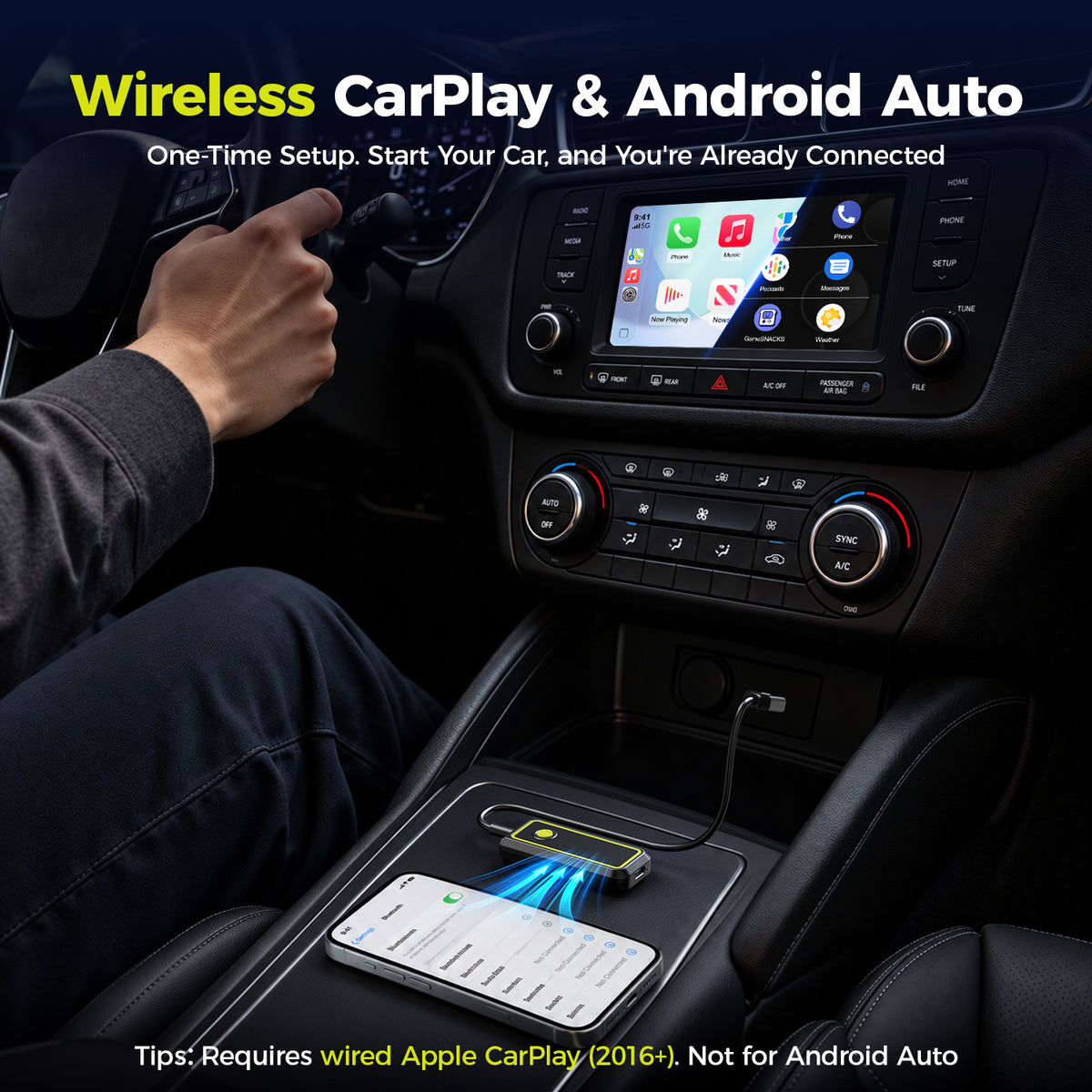
Use Wireless CarPlay or Android Auto for normal everyday driving.

LAMTTO RC33 Mirror Touch Car Screen Control Wireless CarPlay Adapter

Tap. Swipe. Control.

Control your phone directly from your CarPlay screen with Mirror Touch.

LAMTTO RC33 CarPlay Adapter Parked Entertainment Video on Car Screen

Make Parked Time Better

Mirror entertainment from your phone to the larger CarPlay screen while safely parked.

LAMTTO RC33 Wireless CarPlay Adapter Factory Screen OEM Interior

Keep the Factory Look

Add more capability to the CarPlay screen already in your vehicle — no replacement screen required.

Before vs. after

See the Difference in One Glance.

The upgrade is not only about adding features. It is about making the repeated moments in your car easier.

×

Before RC33

More friction
Before RC33: phone connected by cable and unused factory screen
01
Get in → Find the cable → Plug in → Drive
02
Want more? → Pick Up Your Phone → Tap & Swipe on the Phone
03
Arrive → Unplug → Put the phone away
✓

With RC33

Phone Control on Screen
With RC33: phone mirrored on the factory car screen
01
Get in → Auto reconnect → Drive
02
Want more? → Mirror Your Phone → Tap & Swipe Directly on the CarPlay Screen
03
Daily wireless drive → Phone stays unplugged
Netflix video mirrored from a smartphone onto the factory car touchscreen while parked
Entertainment beyond CarPlay

Netflix, YouTube, TikTok and More — on the Factory Display.

While safely parked, mirror supported entertainment content beyond the standard CarPlay app selection to the larger factory screen.

NetflixYouTubeTikTokPrime VideoDisney+
Use entertainment apps only while safely parked.
App behavior can vary by phone model, app version and connection mode.
Parked. Waiting. Charging.

Turn Waiting Time Into Big-Screen Time.

When the vehicle is safely parked, compatible content can move from the phone to the larger factory display for a more comfortable viewing experience.

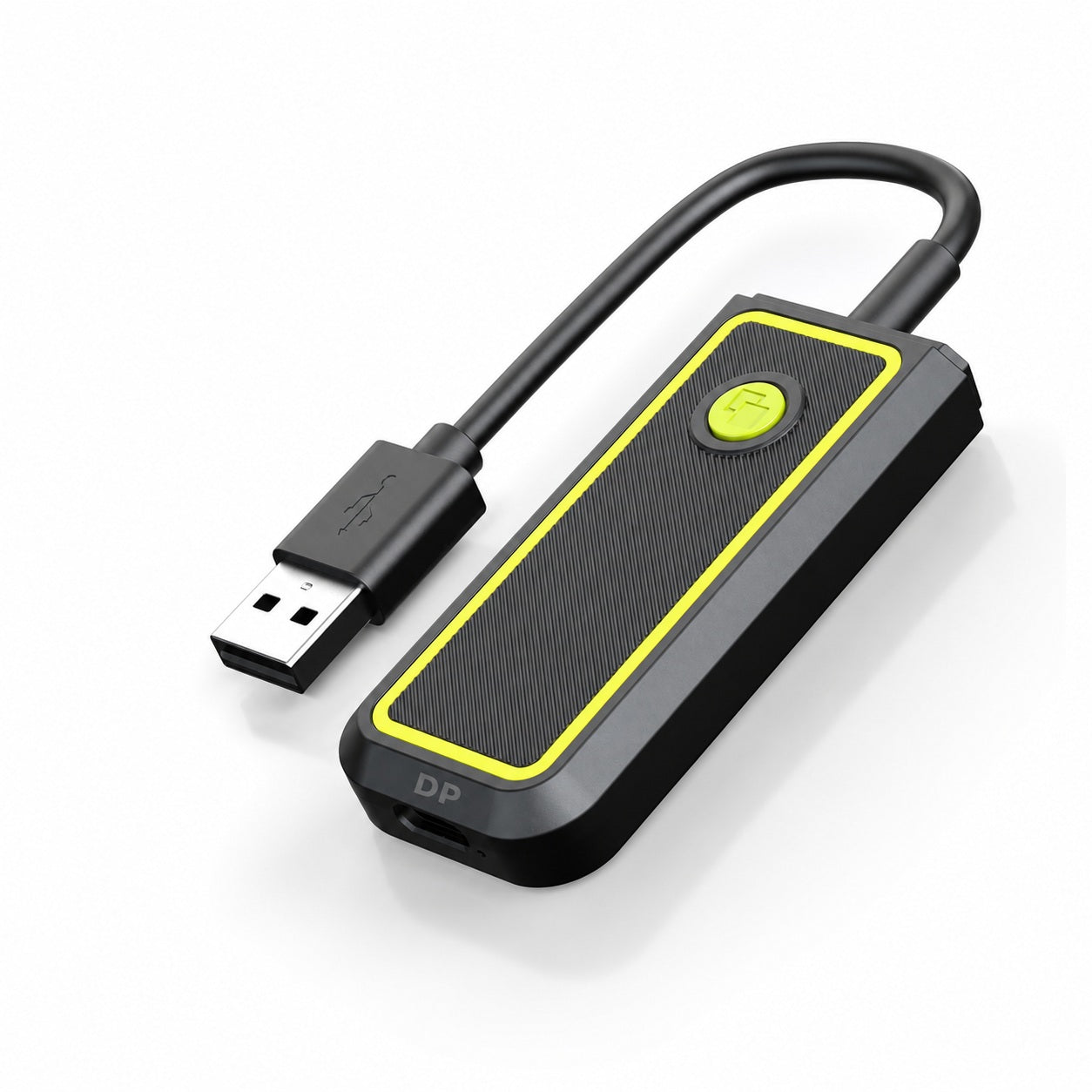
LAMTTO RC33 actual product
Built around the screen you already have

More Capability. Same CarPlay Screen.

RC33 adds wireless connectivity, Mirror Touch and pass-through charging while keeping the CarPlay screen already built into your vehicle.

✓
Wireless CarPlay & Android AutoConnect wirelessly for everyday driving and automatically reconnect after the initial setup.
✓
Keep the Controls You Already KnowContinue using your steering-wheel controls, Siri or voice assistant, and supported factory functions.
✓
Charge While You Use Mirror TouchUSB-C pass-through charging helps keep your phone powered while mirroring and using touch control.
Compatibility first

Check the car and phone before you buy.

RC33 delivers its full Mirror Touch experience only when both the vehicle and phone meet the required conditions.

LAMTTO RC33 factory wired Apple CarPlay compatibility

Factory Wired CarPlay

Your vehicle needs factory wired Apple CarPlay.

LAMTTO RC33 factory touchscreen touch control compatibility

Factory Touchscreen

Touch control requires a compatible factory touchscreen.

LAMTTO RC33 USB-C DisplayPort Alt Mode adapter compatibility

USB-C DP Alt Mode

DP Touch Mirroring requires DisplayPort Alt Mode over USB-C. USB-C alone does not guarantee compatibility.

LAMTTO RC33 iPhone DP Touch Mirroring compatibility exceptions

Known Exceptions

Currently not compatible with DP Touch Mirroring: iPhone 16E, iPhone 17E and iPhone Air.

Why RC33 is different

More Than Just
Wireless CarPlay.

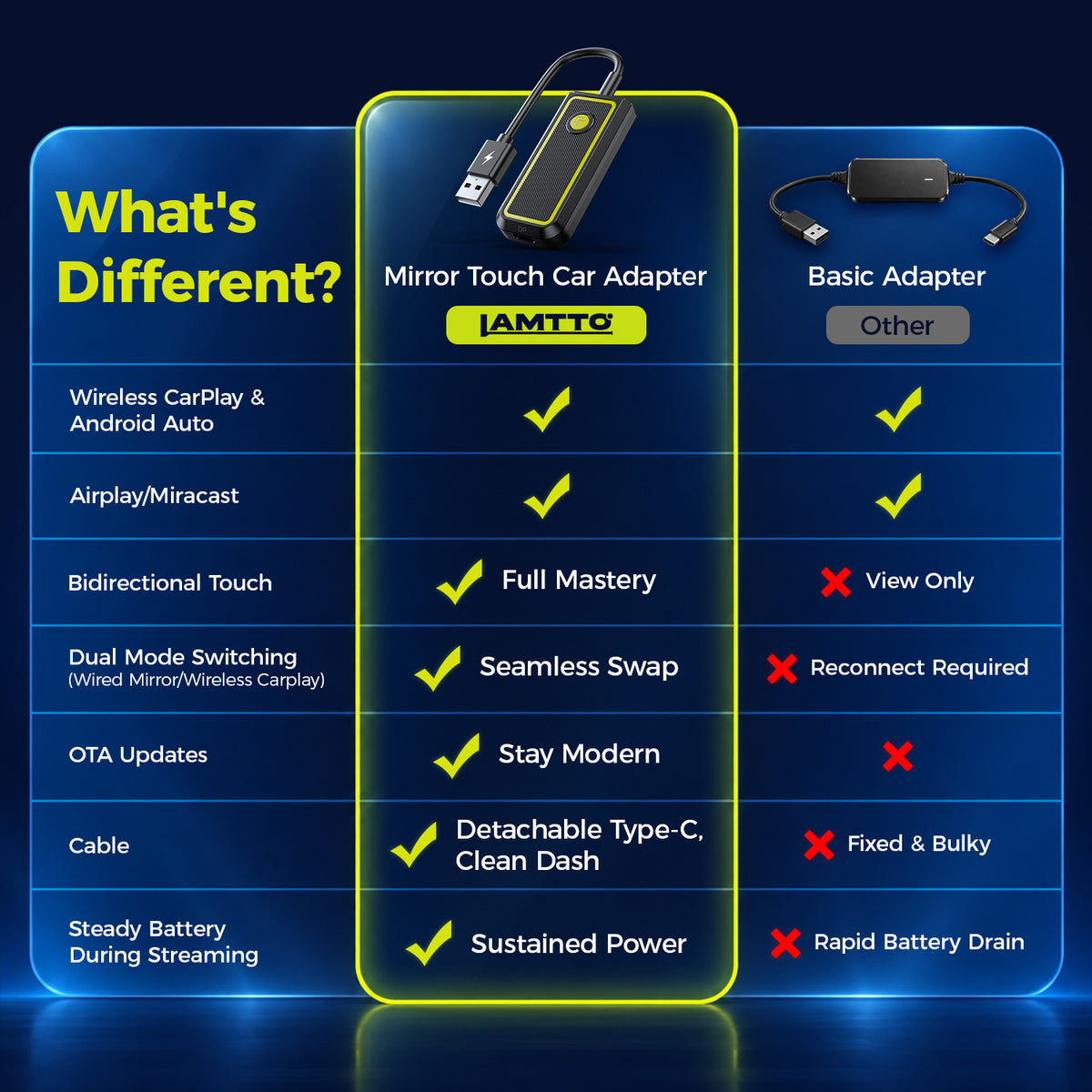
A standard adapter removes the cable. RC33 goes further with compatible phone mirroring and touch control on the factory screen.

LAMTTO RC33

Mirror Touch Wireless CarPlay Adapter

LAMTTO RC33 Mirror Touch Wireless CarPlay Adapter
✓

Mirror TouchControl your phone on the factory screen

✓

Wireless CarPlay & Android AutoWireless everyday driving connection

✓

Compatible Phone MirroringMirror supported content from a compatible phone

✓

Factory-Screen TouchUse your car's original touchscreen

✓

Auto Screen FitAutomatically fits the factory display

✓

Phone Screen-Off MirroringKeep mirroring with the phone screen off

Standard Adapter

Basic Wireless CarPlay / Android Auto

Standard wireless CarPlay adapter comparison
✓

Basic WirelessRemove the cable for wireless use

✓

Wireless CarPlay / Android AutoSupports basic wireless connection

✓

Auto ReconnectAutomatically reconnect after startup

×

No Compatible Phone MirroringDoes not provide RC33-style phone mirroring

×

No Mirror Touch ControlCannot control the phone from the car screen

Quick reference

RC33 Specifications

Product
RC33 Mirror Touch Adapter
Vehicle
Factory Wired CarPlay + Touchscreen
Mirror Touch
USB-C Phone with DP Alt Mode
Connectivity
Bluetooth · Wi-Fi · USB
Ports
USB-C · USB-A
Entertainment
Netflix · YouTube · TikTok · Prime Video · Disney+
Warranty
1-Year Warranty + Lifetime Support
In the Box
RC33 · USB-C/A Cable · USB-C/C Cable · User Manual
Questions before you buy

RC33 FAQ

Quick answers about compatibility, Mirror Touch, entertainment and everyday use.

Is RC33 just another Wireless CarPlay adapter?

No. RC33 supports Wireless CarPlay and Android Auto for everyday driving, while its key difference is compatible phone mirroring and factory-screen touch control through DP Touch Mirroring.

Does every USB-C phone support DP Touch Mirroring?

No. DP Touch Mirroring requires DisplayPort Alt Mode over USB-C. Check your exact phone model before purchase.

Can RC33 mirror Netflix and other entertainment apps?

While safely parked, RC33 can mirror supported entertainment content such as YouTube, Netflix, TikTok, Prime Video and Disney+ on compatible setups. App behavior may vary by phone, app and content-protection requirements.

Does RC33 reconnect automatically?

Yes. After the initial setup, RC33 automatically reconnects to Wireless CarPlay or Android Auto when you start the car.

Can I charge my phone while using Mirror Touch?

Yes. RC33 supports USB-C pass-through charging on compatible Mirror Touch setups.

Do I need to replace my factory screen?

No. RC33 is designed to expand the capabilities of the compatible factory CarPlay touchscreen already in your vehicle.