





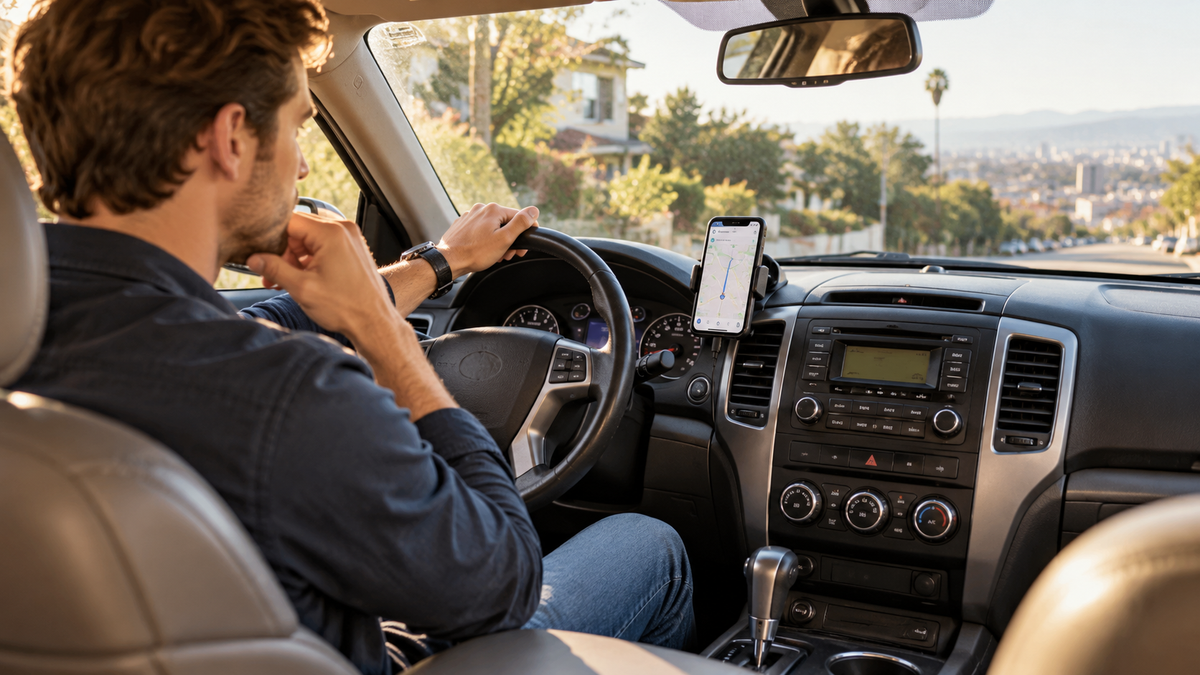
Your car still runs great. So why does the dashboard feel like it's stuck ten years in the past?
Maybe you drive a 2012 sedan, a 2015 SUV, or a pickup truck you've owned for years.
The engine is reliable. The seats are comfortable. And you've got no real reason to replace the vehicle.
But every time you get behind the wheel, there's one thing that makes your car feel older than it really is.
The dashboard.
Your phone can show live traffic, play your favorite playlists, and help you find almost anywhere.
Meanwhile, your car still has a tiny radio screen, a row of physical buttons, and maybe a USB port that barely keeps your phone charged.
You've probably seen newer cars with large CarPlay screens and wondered:
Can I get something like that without buying a new car?
The answer is yes.
And depending on the upgrade you choose, you may not even need to replace your original stereo.
But first, there's one important thing to check.
First, Does Your Car Already Have Wired CarPlay?
Before shopping for a CarPlay upgrade, it's worth knowing which situation applies to your vehicle.
| Your Current Car | What You Need | Recommended Solution |
|---|---|---|
| No factory CarPlay | Add CarPlay functionality | Portable CarPlay screen or aftermarket stereo |
| Factory wired CarPlay | Make your existing CarPlay wireless | Compatible wireless CarPlay adapter |
| Factory wireless CarPlay | Additional apps or a larger display | Check whether a separate upgrade is actually necessary |
Here's the key difference:
A wireless CarPlay adapter usually cannot add CarPlay to a vehicle that never supported it.
It typically converts an existing compatible wired CarPlay connection into a wireless one.
A portable CarPlay screen, on the other hand, provides its own display and can bring CarPlay functionality to many vehicles without factory CarPlay.
Understanding this distinction can save you from buying the wrong product.
1. Yes, You Can Add CarPlay to an Older Car
One of the biggest misconceptions about CarPlay is that your vehicle must have come with it from the factory.
That's not true.
Even if your car has an old-fashioned radio, a small factory screen, or no touchscreen at all, there are aftermarket solutions that can bring CarPlay functionality to your dashboard.
Today, there are three common ways to add CarPlay to a vehicle that doesn't already support it.
Option 1: Replace Your Factory Stereo
Installing an aftermarket CarPlay head unit is a traditional solution.
It can provide a more integrated dashboard appearance, but installation may require additional wiring, mounting kits, or professional help.
Some vehicles also have factory controls that make stereo replacement more complicated.
Option 2: Add a Portable CarPlay Screen
A portable CarPlay screen provides a separate display that works alongside your original stereo.
You don't need to remove the factory radio or replace your dashboard.
For many older vehicles, this is one of the simplest ways to add CarPlay.
Option 3: Install a Vehicle-Specific Retrofit Kit
Some vehicles support aftermarket retrofit systems that add CarPlay functionality to the original infotainment setup.
However, compatibility depends on the vehicle's exact model, year, and factory hardware.
Installation can also be more involved than adding a portable display.
If you want a straightforward upgrade without replacing your original stereo, a portable CarPlay screen is often the best place to start.
2. The Easiest Upgrade Might Be a Portable CarPlay Screen
Imagine getting into your car on Monday morning.
Instead of placing your phone into a small dashboard mount, you start the engine and your phone connects to a larger CarPlay display.
Your navigation appears on the screen.
Your music is ready.
You can access compatible apps, make calls, and use supported voice commands.
And here's the best part:
You didn't have to remove your original stereo.
A portable CarPlay screen can be mounted on your dashboard or another suitable location.
It works alongside your existing vehicle system rather than replacing it.
What Makes Portable CarPlay Screens So Convenient?
Keep Your Original Stereo
You don't need to remove your factory radio or redesign your dashboard.
Enjoy a Larger Navigation Display
A dedicated screen can make compatible maps and directions easier to view.
Connect Your Phone Wirelessly
Supported models allow your phone to connect without plugging in a data cable every time.
Choose How Audio Plays
Depending on the model, audio can be transmitted through Bluetooth, AUX, FM transmission, or built-in speakers.
Add Camera Features
Some portable displays also support compatible driving cameras or backup cameras.
For many older-car owners, this is a practical way to enjoy modern dashboard features without major modifications.

3. Portable CarPlay Screen vs. Aftermarket Stereo: Which Is Better?
Not every driver wants the same type of upgrade.
Some prefer a permanent, factory-style installation.
Others simply want a larger screen and modern phone connectivity without modifying the dashboard.
Here's how the options compare.
| Feature | Portable CarPlay Screen | Aftermarket CarPlay Stereo |
|---|---|---|
| Replaces factory stereo | No | Usually yes |
| Installation complexity | Generally lower | Often higher |
| Permanent dashboard modification | Usually unnecessary | May be required |
| Easy to move between vehicles | Often possible | Generally no |
| Audio integration | Depends on available connections | Usually more integrated |
| Best for | Flexible, convenient upgrades | Permanent installations |
If you plan to keep your older SUV for several more years but don't want a complicated installation, a portable screen may offer the right balance.
You get a more modern dashboard experience while keeping the vehicle you already enjoy driving.
4. Which LAMTTO CarPlay Screen Is Right for Your Car?
Not all portable CarPlay screens offer the same features.
Some focus on a large display and smart functionality.
Others emphasize entertainment or camera recording.
Here are three options worth comparing.
LAMTTO RC32: For Drivers Who Want a Smarter Dashboard
If your current vehicle has a small factory display, upgrading to an 11-inch screen can make a noticeable difference.
The LAMTTO RC32 combines a large 1920 × 720 display with wireless CarPlay, Android Auto, Google Play, and Gemini AI features.
It's designed for drivers who want more than basic navigation without replacing their original stereo.
Whether you're following directions during your commute or exploring compatible apps while safely parked, RC32 brings additional functionality to an older dashboard.
Best for: Drivers who want a premium portable display with advanced smart features.
LAMTTO RC35: For Drivers Who Want a Large Screen and Entertainment
Maybe you're not looking for advanced AI features.
You simply want a large screen for navigation, music, and entertainment during parked breaks.
The LAMTTO RC35 11-inch Wireless CarPlay Display offers wireless CarPlay and Android Auto alongside built-in entertainment capabilities.
For families who enjoy road trips or drivers who spend time waiting in their vehicles, that combination can be appealing.
Best for: Drivers who want a large portable display with entertainment features.
LAMTTO RC28: For Drivers Who Want CarPlay and Camera Recording
If you're interested in adding CarPlay while also upgrading your vehicle's recording capabilities, consider the LAMTTO RC28.
RC28 features a 10.25-inch In-Cell display with wireless CarPlay and Android Auto.
Its camera configuration includes:
- 2.5K front camera for forward-facing driving footage.
- 1080P rear camera for rear-facing recording, with reversing-view functionality where supported by the installation and configuration.
This combination makes RC28 worth considering if you want a portable CarPlay screen with additional driving camera features.
Best for: Drivers who want wireless CarPlay and front/rear camera functionality in one setup.
Compare LAMTTO CarPlay Screens →
Compare the Three LAMTTO CarPlay Screens
| Model | Display | Main Features | Best For |
|---|---|---|---|
| RC32 | 11-inch, 1920 × 720 | Wireless CarPlay, Android Auto, Google Play, Gemini AI | Advanced smart features |
| RC35 | 11-inch | Wireless CarPlay, Android Auto, built-in entertainment | Navigation and parked entertainment |
| RC28 | 10.25-inch In-Cell | Wireless CarPlay, Android Auto, 2.5K front + 1080P rear camera | CarPlay and camera recording |
Check each product page for the latest compatibility information, included accessories, and camera installation requirements.
5. What If You Already Have Wired CarPlay?
If your vehicle already supports factory wired CarPlay, you may not need a portable screen.
A compatible wireless CarPlay adapter could be a simpler solution.
It connects to your existing wired CarPlay system and allows your phone to connect wirelessly.
But remember:
Factory wired CarPlay already exists → converts the existing connection to wireless.
Portable CarPlay Screen
Factory CarPlay doesn't exist → adds a separate CarPlay-capable display.
The two products solve different problems.
If you're unsure which category your vehicle belongs to, check your car's manual or test whether CarPlay works through the factory USB connection before ordering.

6. Five Things to Check Before Buying a Portable CarPlay Screen
A portable screen can be convenient, but it's worth checking a few details before purchasing.
1. Dashboard Space and Mounting Position
Measure the available dashboard space.
Make sure the display won't block your view of the road, air vents, or important vehicle controls.
An 11-inch display may look impressive, but a smaller screen might be more suitable for a compact dashboard.
2. Power Connection
Check how the portable display receives power.
Some models use a vehicle power outlet, while others may support specific USB-based power connections.
Make sure your vehicle provides the required power and that the cable can be routed safely.
3. Audio Connection
Think about how you want navigation instructions, music, and calls to play through your vehicle.
Depending on the product, available options may include:
- Bluetooth audio
- AUX connection
- FM transmission
- Built-in speakers
Check which methods your factory stereo supports.
4. Phone Compatibility
Confirm that your phone and operating system meet the product's requirements.
Also check whether the display supports wireless CarPlay, wired CarPlay, or both.
5. Camera Features and Included Accessories
If you're interested in a model with driving cameras or a backup camera, verify exactly what's included.
For example, RC28 supports a 2.5K front camera and 1080P rear camera configuration.
However, front recording, rear recording, and reversing-view functions are not necessarily the same feature.
Check the product specifications and installation instructions to understand how each camera function works.
A few minutes of checking can prevent the frustration of ordering a screen that doesn't fit your vehicle or meet your needs.

7. Is Adding CarPlay to an Older Car Really Worth It?
That depends on how you use your vehicle.
If you only drive occasionally and your phone mount works perfectly well, you might not need another screen.
But if you commute every day, rely on navigation, take frequent road trips, or simply want a more convenient dashboard, upgrading can make a meaningful difference.
And you don't have to replace a perfectly good vehicle just to enjoy modern technology.
Your car can still be reliable.
Your original stereo can stay exactly where it is.
You can simply add the features you've been missing.
Keep the Car You Love. Upgrade the Screen You Use Every Day.
A car doesn't become outdated just because its dashboard is missing a few modern features.
Sometimes, the engine, the seats, and everything else still feel right.
It's just the technology that needs a little help.
Whether you choose a portable CarPlay screen or a more permanent upgrade, the goal is the same:
Make the car you already own more convenient to drive.
And if you want to add CarPlay without replacing your original stereo, a portable display is a great place to start.
Ready to Give Your Dashboard an Upgrade?
Explore LAMTTO's portable CarPlay screens and compare display sizes, connectivity, and additional features.
Explore LAMTTO CarPlay Screens →
Always verify vehicle compatibility, mounting space, power requirements, audio options, and included accessories before purchasing. Video entertainment should only be used while safely parked.
Frequently Asked Questions
Can I add CarPlay to a car that doesn't have it?
Yes. Many vehicles without factory CarPlay can use a compatible portable CarPlay screen, aftermarket stereo, or vehicle-specific retrofit system.
Can I add CarPlay without replacing my stereo?
Yes. A portable CarPlay screen provides its own display and can work alongside your existing factory stereo.
Can I add CarPlay to a car without a touchscreen?
Yes. A portable CarPlay display includes its own touchscreen, so your original car doesn't need one.
Does a wireless CarPlay adapter work in a car without CarPlay?
Generally, no. Most wireless CarPlay adapters require an existing compatible wired CarPlay system.
Is a portable CarPlay screen easy to install?
Many models are designed for relatively simple installation, but mounting, power, audio connections, and optional cameras still need to be set up correctly.
Do I need a SIM card for wireless CarPlay?
No separate SIM card is normally required for standard wireless CarPlay. Internet-dependent apps typically use your connected phone's mobile data.
Is a portable CarPlay screen better than a new stereo?
It depends on your priorities. A portable screen is generally easier to install and doesn't require replacing the factory stereo. A new head unit can provide a more integrated, permanent setup.


Hinterlasse einen Kommentar
Alle Kommentare werden vor der Veröffentlichung geprüft.
Diese Website ist durch hCaptcha geschützt und es gelten die allgemeinen Geschäftsbedingungen und Datenschutzbestimmungen von hCaptcha.