





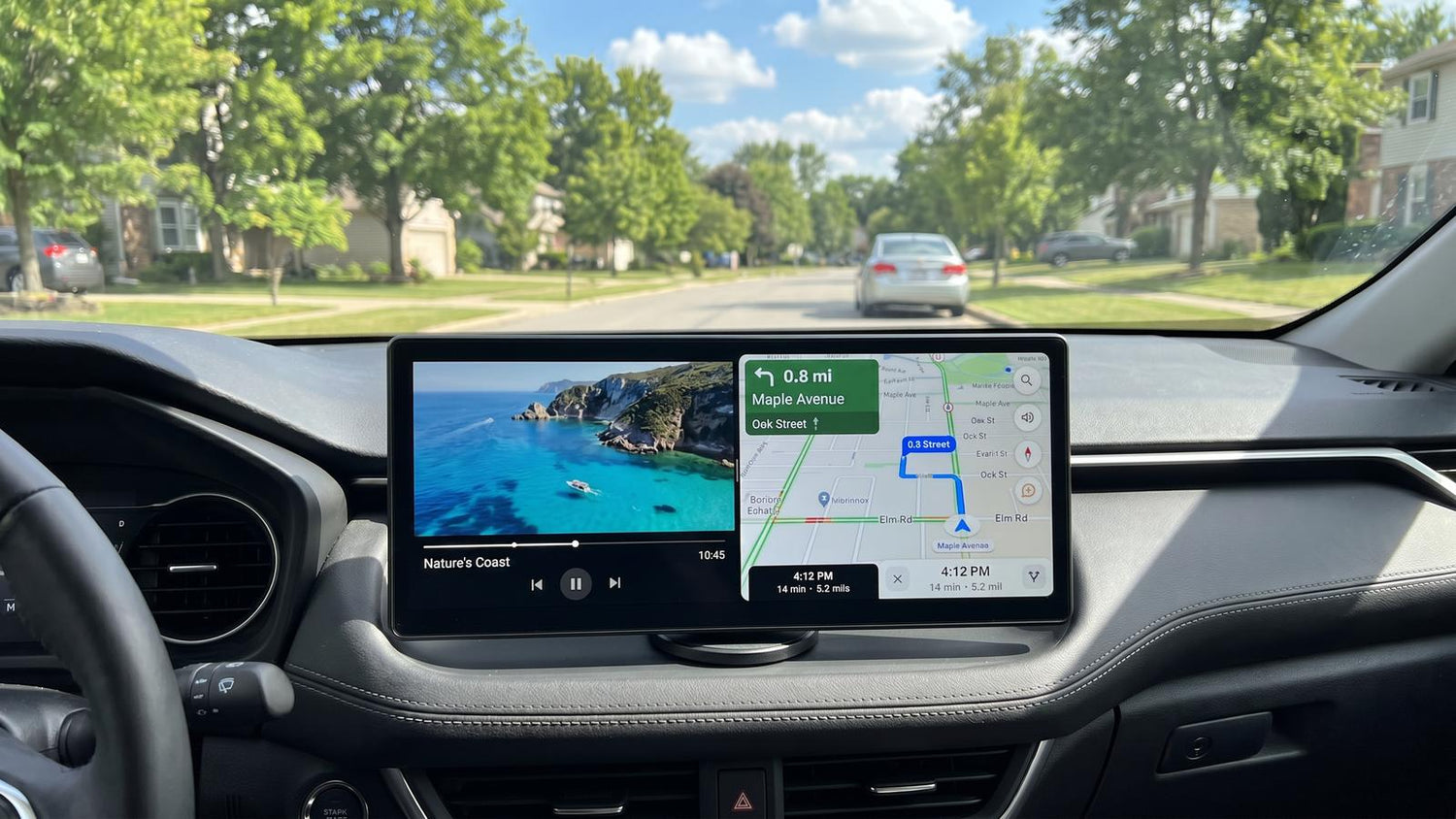
Pour les propriétaires de voitures souhaitant passer à un écosystème intelligent embarqué moderne — sans retirer l'autoradio d'origine ni modifier le câblage du tableau de bord — l'écran de voiture AI Lamtto RC32 offre une solution de mise à niveau portable qui combine la projection sans fil (CarPlay / Android Auto) avec un système intelligent Android autonome.
Cette analyse technique fournit un aperçu objectif de l'appareil basé sur ses spécifications matérielles réelles, sa compatibilité multimédia, ses méthodes d'intégration audio embarquées et sa fonction d'enregistrement arrière, vous aidant ainsi à acquérir une compréhension approfondie de ce que le RC32 apporte au conducteur.
 Contenu de la boîte
Lamtto livre le RC32 avec tout le nécessaire pour une installation complète :
Matériel et fabrication
Affichage
Le RC32 dispose d'un écran LCD de 11 pouces avec une résolution de 1920 × 720. Le rapport d'aspect est nettement plus large et plus étroit qu'un écran conventionnel 16:9 ou 4:3 — un choix de conception qui privilégie un encombrement réduit sur le tableau de bord. L'affichage se rafraîchit à 60 Hz, offrant un défilement fluide et une interaction tactile réactive.
Les angles de vision sont généreux, aussi bien d'en haut que d'en bas, et la luminosité de l'écran est adéquate pour une utilisation en voiture de jour. Des évents de refroidissement passifs le long du bord supérieur dissipent la chaleur sans ventilateurs actifs.
 Ports et commandes
Le bord gauche abrite l'ensemble des E/S :
| Port | Fonction |
|---|---|
| USB-C | Alimente l'écran (adaptateur 12V inclus) |
| Prise 2,5 mm | Entrée caméra arrière |
| Lecteur de carte MicroSD | Stockage extensible pour applications, médias et enregistrements DVR |
| Auxiliaire 3,5 mm | Sortie audio filaire vers l'autoradio |
Un bouton d'alimentation physique sur le bord supérieur gère la mise en veille et le réveil. Un bouton de réinitialisation à trou d'épingle sur le panneau arrière permet la récupération du système. Le module GPS intégré permet une navigation autonome via les applications Android sans dépendre du GPS du téléphone. Un haut-parleur et un microphone intégrés sont également inclus — la grille du haut-parleur se trouve à l'arrière, tandis que le microphone est positionné près du bord supérieur.

Processeur et mémoire
Le processeur octa-core Allwinner A537 avec GPU Mali G57 est spécifiquement optimisé pour une utilisation embarquée — cela signifie que le streaming vidéo 1080p fluide, la navigation réactive, les transitions de menus fluides à 60 FPS et les jeux occasionnels s'exécutent confortablement dans son enveloppe de performance. Le chipset privilégie un fonctionnement cohérent et fiable pour les fonctions de conduite et de divertissement essentielles sur la route. Logiciel et interface
Écran d'accueil et lanceur
Au démarrage, le RC32 affiche un écran d'accueil "Lecture en cours" avec des raccourcis persistants pour la luminosité, l'accès au microphone et la gestion du multitâche. Un dock latéral — configurable pour un placement à gauche ou à droite lors de la configuration initiale — permet un accès rapide aux fonctions essentielles.
L'interface fonctionne à 60 FPS sans aucun bégaiement perceptible dans la navigation des menus. Les options de personnalisation incluent :
- Logo de démarrage — remplacez l'animation de démarrage par un logo de marque de voiture ou une image personnalisée
- Fond d'écran — modifiez l'arrière-plan pour qu'il corresponde à l'intérieur du véhicule
- Position du dock — orientation gauche ou droite
- Paramètres audio — choisissez entre la transmission FM, auxiliaire et la sortie Bluetooth
- Mises à jour du système — mises à jour du micrologiciel par voie hertzienne
 Applications préinstallées
Le RC32 est livré avec un ensemble d'applications sélectionnées :
- YouTube — préinstallé et correctement formaté, y compris la lecture verticale des Shorts
- Netflix — préinstallé avec une connexion facile au compte ; le contenu s'affiche dans une présentation claire et tactile
- Disney+ — préinstallé
- Suite Google — Play Store, Chrome, Maps, YouTube Music
- Google Gemini — assistant IA, intégré via Android 15
- Gestionnaire de fichiers — accès au stockage interne et au contenu de la carte TF
- Lecteurs vidéo et musicaux — applications de lecture multimédia locale
- DVR — enregistrement en boucle de la caméra arrière
Les applications tierces peuvent être installées depuis le Google Play Store ou chargées latéralement via la carte TF, faisant du RC32 une tablette Android ouverte.
Connectivité
CarPlay sans fil et Android Auto
Apple CarPlay et Android Auto se connectent tous deux sans fil. L'appairage initial est simple : activez le Bluetooth sur le téléphone, sélectionnez le RC32 parmi les appareils disponibles, confirmez le code d'appairage, et la connexion s'établit automatiquement. Aucune autorisation CarPlay supplémentaire n'est requise du côté de l'iPhone.
Double Wi-Fi et fonctionnement en point d'accès
Mode écran partagé
Le lanceur comprend une fonction d' écran partagé 50/50 . CarPlay ou Android Auto occupe une moitié, tandis que n'importe quelle application Android — YouTube, Maps, le flux de la caméra de recul — s'exécute sur l'autre. Cela permet à un passager de regarder facilement une vidéo pendant que le conducteur garde la navigation en vue. Le retour à une vue CarPlay plein écran ne prend que quelques secondes et se reconnecte automatiquement. Android Auto reprend sans aucune étape de reconnexion, ce qui rend les transitions d'écran partagé particulièrement fluides. Méthodes de sortie audio
Le RC32 offre trois voies audio vers le système sonore de la voiture, classées du niveau d'entrée au niveau supérieur :
① Transmission FM — Entrée de gamme
L'écran transmet l'audio sur une fréquence FM sélectionnée par l'utilisateur (testée à 107,4 MHz). Le câble d'alimentation sert également d'antenne FM — le dérouler améliore la clarté du signal.
- Avantages : Fonctionne dans n'importe quelle voiture avec une radio FM ; complètement sans fil
- Inconvénients : Un léger sifflement de fond persiste même sur une fréquence propre ; la qualité sonore est la plus faible des trois options ; l'audio peut occasionnellement se désynchroniser
② Câble auxiliaire — Milieu de gamme
Une connexion auxiliaire de 3,5 mm via le câble inclus. Le RC32 détecte automatiquement l'insertion du câble et achemine l'audio en conséquence.
- Avantages : Aucun sifflement de fond ; connexion filaire fiable ; commutation automatique sur l'autoradio ; son nettement plus clair que la FM
- Inconvénients : Ajoute un câble visible à l'installation
③ Transmission Bluetooth — Le meilleur
L'écran s'apparie directement avec l'autoradio comme source audio Bluetooth — le téléphone n'est pas impliqué dans la chaîne audio. C'est un avantage architectural significatif : de nombreux écrans concurrents acheminent l'audio via le téléphone vers la voiture, ajoutant latence et compression.
- Avantages : Liberté sans fil ; meilleure qualité sonore ; les commandes de piste au volant fonctionnent correctement ; l'autoradio affiche les informations de piste et peut contrôler la lecture
- Inconvénients : Le processus d'appairage varie selon le véhicule ; nécessite un autoradio compatible Bluetooth
 Caméra arrière et DVR
La caméra arrière 1080p incluse se connecte via la prise 2,5 mm — aucun raccordement de câble n'est requis, une amélioration notable par rapport aux implémentations précédentes. Une fois connectée, le flux de recul apparaît automatiquement sur l'écran avec des lignes de guidage de stationnement superposées.
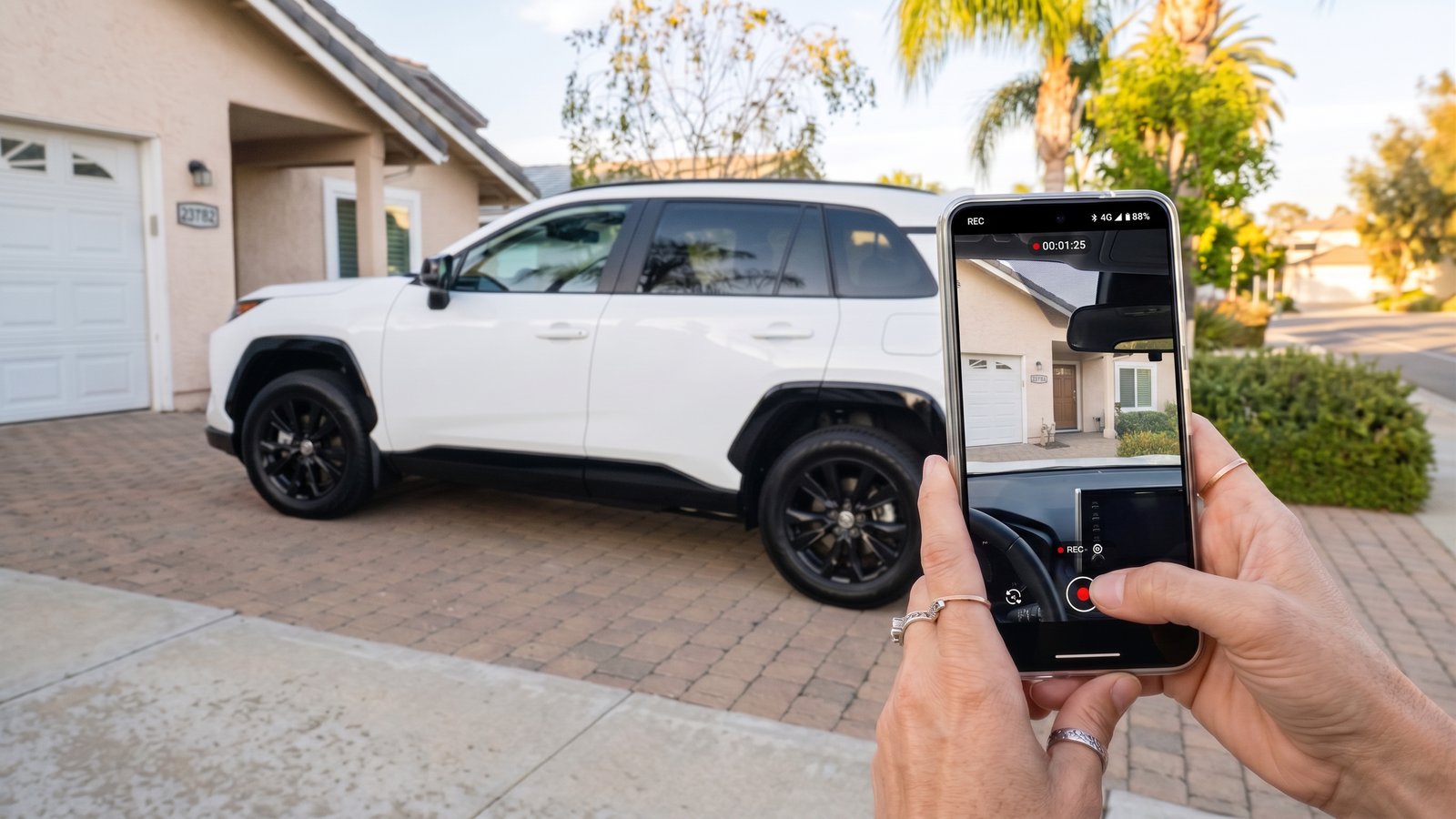
La fonction DVR enregistre en continu le flux de la caméra arrière sur le stockage interne (ou carte TF). Un bouton d'instantané capture des images fixes — utile pour documenter la plaque d'immatriculation d'un véhicule qui colle. Le flux de la caméra peut également être affiché pendant la conduite via l'application DVR, et il s'intègre au mode écran partagé avec la navigation ou CarPlay.
 Performances de lecture multimédia
Streaming (YouTube, Netflix, Spotify)
- YouTube : Ouvre rapidement ; lecture fluide en 1080p avec une synchronisation A/V d'environ 100 ms — bien dans la plage acceptable de synchronisation labiale. Les YouTube Shorts sont correctement formatés sans les problèmes de mise à l'échelle qui affligent certains écrans automobiles.
- Netflix : Préinstallé et prêt à l'emploi. Le contenu est diffusé en continu avec une bonne synchronisation audio-visuelle. L'interface présente des vignettes grandes et faciles à toucher qui fonctionnent bien d'un coup d'œil lorsque la voiture est stationnée.
- Spotify : Charge rapidement ; l'audio est lu via la méthode de sortie sélectionnée sans problème.
Média local (carte TF)
En utilisant VLC (installé depuis le Play Store), la lecture multimédia locale est testée sur plusieurs résolutions :
| Résolution | Résultat |
|---|---|
| 1080p | ✅ Fluide, correctement recadré, aucun problème |
| 4K 30fps | ⚠️ Lecture acceptable ; micro-saccades occasionnelles |
| 4K 60fps | ⚠️ Mieux apprécié en 1080p — le contenu 4K 60fps est optimisé pour la lecture 1080p sur cet écran |
Pour une utilisation pratique, le contenu 1080p de la carte TF est lu parfaitement avec un redimensionnement correct du rapport d'aspect.
Jeux
Les jeux tactiles (testés avec Crossy Road) fonctionnent à 60 FPS fluides avec un rendu d'ombres complet. Le panneau tactile est réactif, et comme l'entrée est directe plutôt que routée via un intermédiaire d'affichage de voiture, il n'y a pas de latence d'entrée supplémentaire.
 Intégration de l'IA : Google Gemini
Google Gemini est intégré via Android 15. L'activation de l'assistant IA peut se faire via le raccourci microphone à l'écran ou — selon le véhicule — via le bouton vocal du volant.
Gemini peut répondre aux requêtes spécifiques à l'itinéraire (station-service la plus proche, points d'intérêt, disponibilité de stationnement), analyser le contenu affiché à l'écran, contrôler la lecture et gérer les questions de culture générale. En pratique, cela transforme une voiture non connectée basique en un environnement intelligent à commande vocale, allant bien au-delà de ce que CarPlay ou Android Auto seuls offrent.
À qui s'adresse le RC32 ?
Verdict
Le Lamtto RC32 AI Car Display est un écran de voiture de 11 pouces riche en fonctionnalités qui s'impose par sa polyvalence plutôt que par son raffinement. La combinaison d'un système d'exploitation Android 15 complet, d'un double Wi-Fi pour un point d'accès simultané et la projection du téléphone, d'une transmission audio Bluetooth directe à l'autoradio, d'une caméra DVR 1080p sans épissure et de l'intégration de Google Gemini AI crée un ensemble de fonctionnalités que peu de concurrents égalent à ce prix.
Comme tout appareil multifonction, le RC32 fait des choix de conception réfléchis : un large format 1920 × 720 qui se place bas sur le tableau de bord, un processeur octa-core optimisé pour les médias fluides et la navigation plutôt que pour les charges de travail 3D de niveau ordinateur de bureau, et des jeux tactiles qui restent simples sans périphériques supplémentaires.
Pour les utilisateurs Android — en particulier ceux dont les véhicules plus anciens ne disposent d'aucune forme d'intégration smartphone — le RC32 représente une mise à niveau tout-en-un convaincante. La voie audio Bluetooth, qui associe directement l'écran à l'autoradio et préserve les commandes au volant, est la mise en œuvre audio la plus remarquable. Pour les utilisateurs d'iPhone qui privilégient avant tout un CarPlay fluide et à faible latence, un adaptateur CarPlay sans fil dédié associé à un écran standard peut être l'alternative la plus ciblée.
Le RC32 n'essaie pas d'être le meilleur dans un seul domaine. Au lieu de cela, il offre une boîte à outils exceptionnellement large — et pour le bon acheteur, cette largeur est précisément le but.


Laisser un commentaire
Tous les commentaires sont modérés avant d'être publiés.
Ce site est protégé par hCaptcha, et la Politique de confidentialité et les Conditions de service de hCaptcha s’appliquent.