




If you drive a Chevrolet Silverado, Equinox, Malibu, Traverse, or another Chevy model, you may be wondering which wireless CarPlay adapter will work with your vehicle.
The good news is that Apple CarPlay is available on many Chevrolet models. However, choosing the right wireless CarPlay adapter is not simply a matter of checking your vehicle's brand or model year.
Some Chevy vehicles support factory wired Apple CarPlay, others offer factory wireless CarPlay, and certain configurations may not support CarPlay at all.
The key is understanding how your factory infotainment system connects to your iPhone.
In this guide, we'll cover which Chevrolet models offer Apple CarPlay, how to check whether your Chevy needs a wireless adapter, what to look for before buying, and how products such as the LAMTTO RC23 can upgrade a compatible factory system.
Quick Answer: Which Wireless CarPlay Adapter Works With My Chevy?
A wireless CarPlay adapter designed for factory wired CarPlay may work with your Chevy if your vehicle already launches Apple CarPlay through a USB data connection.
Before purchasing, check three things:
- Your Chevy supports factory wired Apple CarPlay.
- The original infotainment display has a working USB data port.
- Your iPhone is compatible with Apple CarPlay.
For certain multimedia AI Boxes, a compatible factory touchscreen is also required.
For example, the LAMTTO RC23 supports compatible Chevrolet vehicles with factory wired Apple CarPlay or wired Android Auto, a factory touchscreen, and a working USB data port.
If your Chevy already has factory wireless CarPlay, you generally do not need a basic wired-to-wireless adapter.
1. Which Chevrolet Models Support Apple CarPlay?
Apple CarPlay has been available across a wide range of Chevrolet vehicles, but availability depends on the model year, trim, and original infotainment system.
According to Apple's vehicle compatibility list, examples of supported Chevrolet model-year ranges include:
Apple's currently published Chevrolet compatibility list includes the model-year ranges shown below. These ranges identify vehicles listed as supporting Apple CarPlay, but they do not confirm whether a specific trim has wired or wireless connectivity. For 2026 models and newer configurations, check Apple's latest list and Chevrolet's vehicle-specific documentation before purchasing an adapter.
Compatibility information checked in November 2026.
| Chevrolet Model | Apple-listed Model Years |
|---|---|
| Silverado | 2016–2025 |
| Silverado HD | 2016–2025 |
| Colorado | 2016–2025 |
| Equinox | 2018–2025 |
| Traverse | 2018–2025 |
| Malibu | 2016–2024 |
| Tahoe | 2016–2025 |
| Suburban | 2016–2025 |
| Trax | 2017–2025 |
| Camaro | 2016–2023 |
| Cruze | 2016–2022 |
| Blazer | 2019–2025 |
These are Apple-listed vehicle compatibility ranges, not a guarantee that every trim or infotainment configuration supports the same connection method.
For example, a 2019 Chevrolet Silverado and a 2024 Chevrolet Silverado may both support Apple CarPlay, but their infotainment configurations and wireless capabilities can differ.
How to verify your exact Chevy:
- Check the vehicle's owner's manual.
- Look for an Apple CarPlay or Projection icon on the infotainment screen.
- Visit Chevrolet's official support website.
- Connect your iPhone using a compatible USB data cable and check whether CarPlay launches.
You can also check Apple's official CarPlay compatible vehicle list.

2. Does Your Chevy Have Wired or Wireless Apple CarPlay?
This is the most important question when choosing a wireless CarPlay adapter.
There are two common factory connection types.
Factory Wired Apple CarPlay
With wired CarPlay, you connect your iPhone to the vehicle using a USB data cable.
The factory infotainment screen then displays supported iPhone apps, including navigation, music, calls, and messaging.
If you want to eliminate the cable, a compatible wireless CarPlay adapter can convert this existing wired connection into a wireless one.
Factory Wireless Apple CarPlay
Some Chevrolet vehicles support wireless CarPlay directly through their factory infotainment systems.
These vehicles can connect to a compatible iPhone using Bluetooth and Wi-Fi without plugging in a cable.
If your Chevy already has factory wireless CarPlay, a basic wired-to-wireless adapter is generally unnecessary.
What If Your Chevy Only Supports Bluetooth?
Bluetooth music and Apple CarPlay are not the same thing.
Your vehicle may support hands-free calls and music streaming without supporting Apple CarPlay.
A standard wireless CarPlay adapter cannot create factory CarPlay compatibility from Bluetooth alone.
You need to verify that your original infotainment system supports the required wired CarPlay connection.

3. How to Check If a Wireless CarPlay Adapter Will Work With Your Chevy
Before ordering, follow this simple compatibility test.
Step 1: Find Your Factory USB Data Port
Locate the USB port connected to your Chevrolet's original infotainment system.
Some vehicles have multiple USB ports, and not all of them support data transfer.
Step 2: Connect Your iPhone Directly
Use a reliable data cable to connect your iPhone to the factory USB port.
Unlock your phone and follow any connection prompts.
Step 3: Check the Factory Display
If Apple CarPlay launches on the original Chevrolet screen, your vehicle has a wired CarPlay connection that may support a compatible wireless adapter.
If the phone only charges, try another designated USB data port or check the owner's manual.
Step 4: Confirm Your Screen and Adapter Requirements
Some standard wireless adapters mainly convert an existing wired connection.
Other devices, such as video AI Boxes, require additional features, including a factory touchscreen.
For example, the LAMTTO RC23 requires all three:
- Factory wired Apple CarPlay or wired Android Auto.
- Factory touchscreen.
- Working USB data port.
All three requirements must be met.
Step 5: Check Your iPhone
Make sure your iPhone supports Apple CarPlay and that Bluetooth and Wi-Fi are enabled for wireless pairing.
The exact phone and operating system requirements depend on the adapter you choose.
Example: Checking a Chevrolet Silverado Before Buying
Imagine you own a 2020 Chevrolet Silverado and want to replace your wired CarPlay connection with a wireless setup.
Before ordering an adapter, follow this checklist:
- Connect your iPhone to the factory USB data port using a compatible cable.
- Confirm that Apple CarPlay launches on the original Chevrolet touchscreen.
- Disconnect the phone and check whether CarPlay stops working.
- Confirm that the vehicle uses a wired connection rather than factory wireless CarPlay.
- Check that the vehicle has a compatible touchscreen and that the USB port supports data transfer.
If these conditions are met, your Silverado may be a candidate for a compatible wired-to-wireless CarPlay AI Box such as the LAMTTO RC23.
This is a compatibility-check example, not a verified RC23 installation test on every 2020 Silverado trim. Always confirm the exact factory infotainment configuration before ordering.
4. Which Wireless CarPlay Solution Is Right for Your Chevy?
Not all wireless CarPlay devices serve the same purpose.
Some adapters are designed mainly to convert an existing wired CarPlay connection into a wireless one. Others, such as Android-based AI Boxes, add multimedia applications and additional features to a compatible factory touchscreen.
Before choosing a device, consider whether you only want wireless connectivity or whether you also want an expanded in-car entertainment experience.
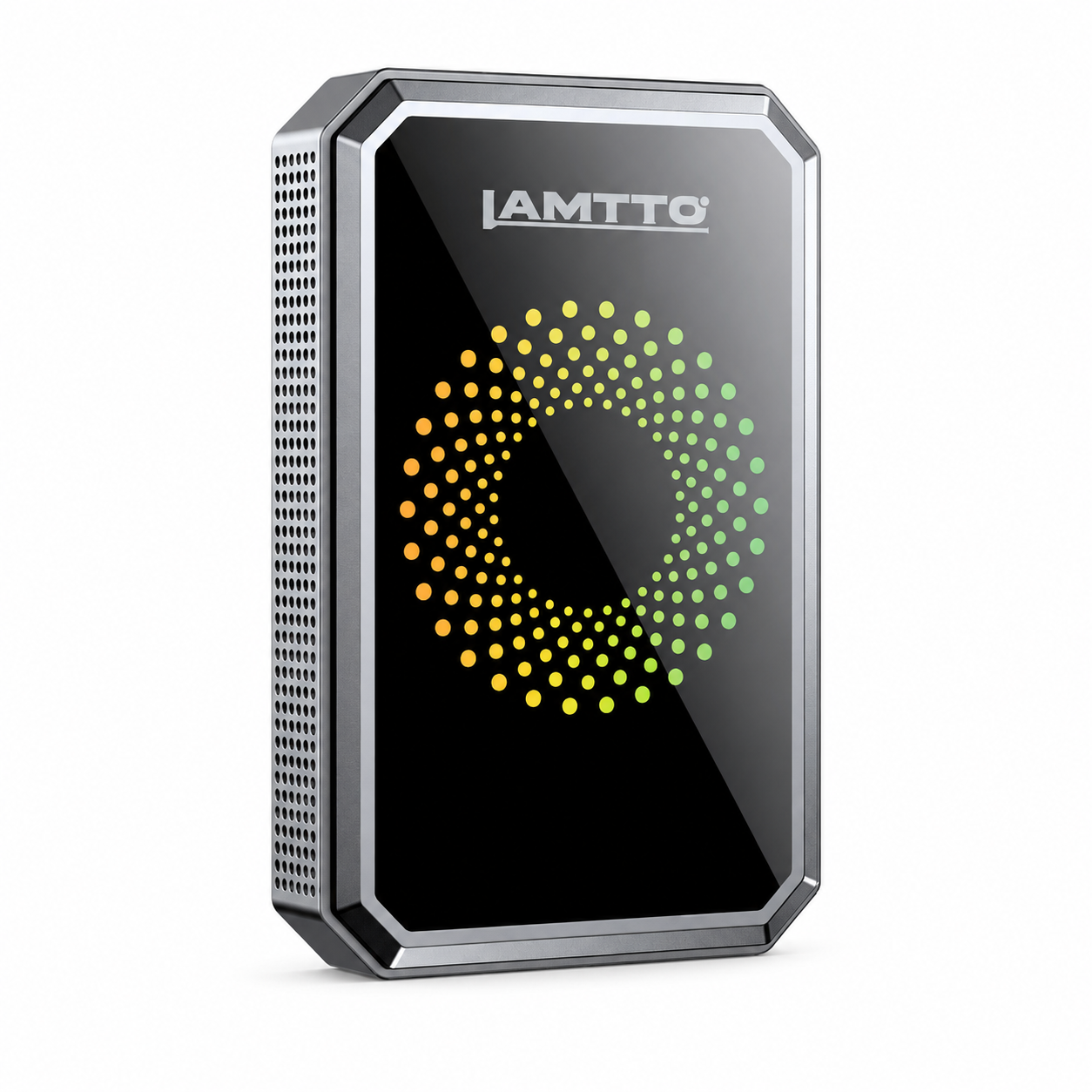
For Chevrolet owners with a compatible factory wired CarPlay or Android Auto system, the LAMTTO RC23 is one option worth considering.
LAMTTO RC23 – For Wireless CarPlay and Built-In Entertainment
The LAMTTO RC23 is designed for drivers who want to convert a compatible factory wired CarPlay or Android Auto system into a wireless connection while adding supported entertainment functions.
Its main features include:
- Wireless Apple CarPlay.
- Wireless Android Auto.
- Supported built-in video applications, including Netflix and YouTube.
- USB media playback.
- HDMI output support.
Compatibility: RC23 requires factory wired Apple CarPlay or wired Android Auto, a factory touchscreen, and a working USB data port. It does not support vehicles with factory wireless-only CarPlay or Android Auto, vehicles without factory CarPlay or Android Auto, BMW, or Tesla. Check your exact factory infotainment configuration before purchasing.
Explore the LAMTTO RC23 3-in-1 Magic Video CarPlay Box.

5. What If Your Chevy Already Has Wireless CarPlay?
If your Chevrolet already connects to Apple CarPlay wirelessly, you may not need a standard wireless adapter.
However, you might still be looking for additional functions.
Consider what you actually want to change:
| Your Situation | What to Consider |
|---|---|
| Your Chevy has wired CarPlay | A compatible wireless adapter |
| Your Chevy has factory wireless CarPlay | You may not need a basic adapter |
| Your Chevy has Bluetooth but no CarPlay | A portable CarPlay screen may be more suitable |
| Your Chevy has a touchscreen and compatible wired CarPlay | An AI Box may offer additional features |
| Your Chevy has no touchscreen | Consider a standalone portable CarPlay display |
The best solution depends on your factory infotainment system rather than simply the Chevrolet badge.
6. Common Chevrolet Wireless CarPlay Problems
Even compatible Chevrolet vehicles can occasionally experience connection problems.
Here are several things to check before assuming your adapter is defective.
CarPlay Does Not Launch
Confirm that the original wired CarPlay connection works first. Check that the selected USB port supports data transfer rather than charging only.
The Adapter Powers On but Does Not Connect
Check Bluetooth and Wi-Fi on your iPhone, remove outdated pairing records, and restart the adapter and infotainment system.
CarPlay Disconnects Repeatedly
Inspect the USB cable and connection. Software updates, damaged cables, and wireless interference may also affect connectivity.
The Screen Shows Android Auto Instead of CarPlay
Some compatible dual-mode devices support both systems. Confirm that the adapter's operating mode matches the vehicle's factory connection.
For additional assistance, follow the adapter manufacturer's setup and troubleshooting instructions.
A Quick Troubleshooting Checklist for Chevy Owners
If your wireless CarPlay adapter does not work as expected, check these items before resetting your device:
- USB connection: Try the factory USB data port that originally supported wired CarPlay.
- Factory CarPlay: Reconnect your iPhone directly to confirm that the original wired connection still works.
- Phone pairing: Remove outdated Bluetooth and Wi-Fi pairing records before connecting again.
- Vehicle settings: Check whether Apple CarPlay is enabled in your Chevrolet infotainment settings.
- Power and cable: Make sure the adapter is receiving stable power through the supplied cable.
- Software: Check for available iPhone and vehicle infotainment software updates.
If factory wired CarPlay does not work when connecting the iPhone directly, troubleshoot the original vehicle connection before testing an adapter.
Frequently Asked Questions
1. What wireless CarPlay adapter works with a Chevy Silverado?
A compatible wireless CarPlay adapter may work with a Chevrolet Silverado that already supports factory wired Apple CarPlay. Confirm the model year, trim, USB data connection, and factory infotainment configuration before buying.
The LAMTTO RC23 is one option for compatible Silverado configurations with wired CarPlay or wired Android Auto, a factory touchscreen, and a working USB data port.
2. Does wireless CarPlay work with a Chevy Equinox?
Apple lists Chevrolet Equinox model years 2018–2025 as CarPlay-compatible. However, the exact factory connection type varies by vehicle configuration. Check whether your Equinox supports wired or wireless CarPlay before choosing an adapter.
3. Can I use a wireless CarPlay adapter with a 2016 Chevy?
Some 2016 Chevrolet models are included in Apple's CarPlay compatibility list, including the Silverado, Colorado, Camaro, Malibu, and Tahoe.
However, the presence of CarPlay depends on the original equipment and configuration. Confirm that your specific vehicle supports factory wired CarPlay before purchasing a wired-to-wireless adapter.
4. Does a wireless CarPlay adapter work if my Chevy only has Bluetooth?
Generally, no. Bluetooth audio or hands-free calling does not automatically mean your vehicle supports factory wired Apple CarPlay.
A conventional wireless CarPlay adapter needs a compatible existing wired CarPlay connection.
5. Can I use an adapter if my Chevy already has wireless CarPlay?
You generally do not need a standard wired-to-wireless adapter because your factory system already provides wireless connectivity.
You should only consider an additional device if you want specific extra functions and have confirmed that your vehicle supports them.
6. Do I need to install a new stereo to get wireless CarPlay?
Not necessarily. If your Chevrolet already has factory wired CarPlay, a compatible wireless adapter may provide wireless connectivity without replacing the factory stereo.
If your vehicle does not support CarPlay, a standalone portable CarPlay display may be an alternative.
7. Will the LAMTTO RC23 work with every Chevrolet model?
No. RC23 requires factory wired Apple CarPlay or wired Android Auto, a factory touchscreen, and a working USB data port.
Compatibility depends on the vehicle's actual infotainment configuration, not just its model name or year.
Final Thoughts: Find the Right Wireless CarPlay Adapter for Your Chevy
Choosing a wireless CarPlay adapter for your Chevrolet starts with one simple question: Does your factory infotainment system support wired Apple CarPlay?
If your Chevrolet has factory wired Apple CarPlay or Android Auto, a compatible AI Box may help you move to wireless connectivity while adding entertainment features to your original touchscreen.
For drivers who want more than a basic wireless connection, the LAMTTO RC23 combines wireless CarPlay and Android Auto with supported built-in video applications, USB media playback, and HDMI output.
Before purchasing, confirm your vehicle has a compatible factory wired connection, touchscreen, and USB data port.
Explore the LAMTTO RC23 3-in-1 Magic Video CarPlay Box and review its compatibility requirements before ordering.
Video applications should only be used while the vehicle is safely parked.


Laisser un commentaire
Tous les commentaires sont modérés avant d'être publiés.
Ce site est protégé par hCaptcha, et la Politique de confidentialité et les Conditions de service de hCaptcha s’appliquent.