

01 / LOOK BACK
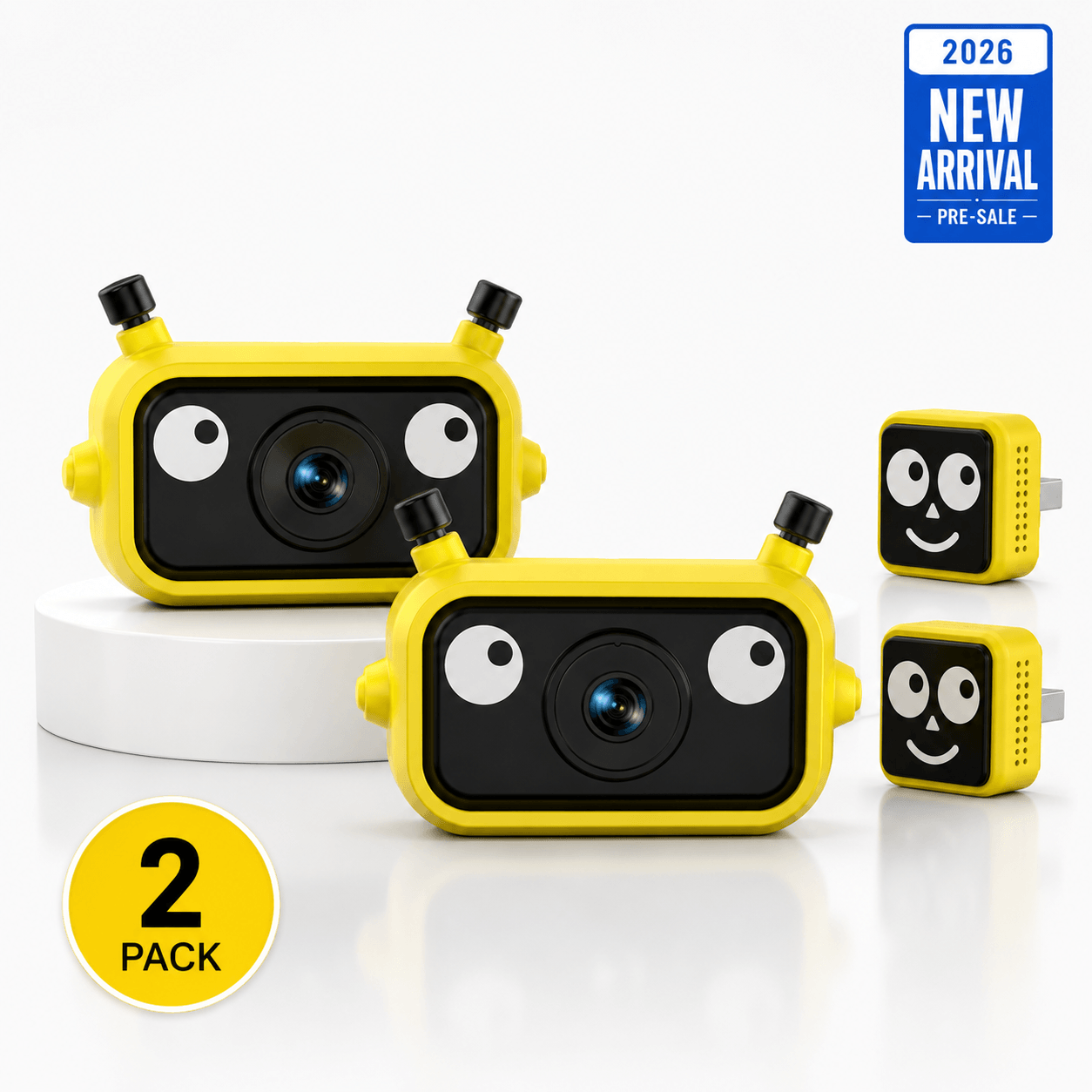
Baby camera
on your car screen.
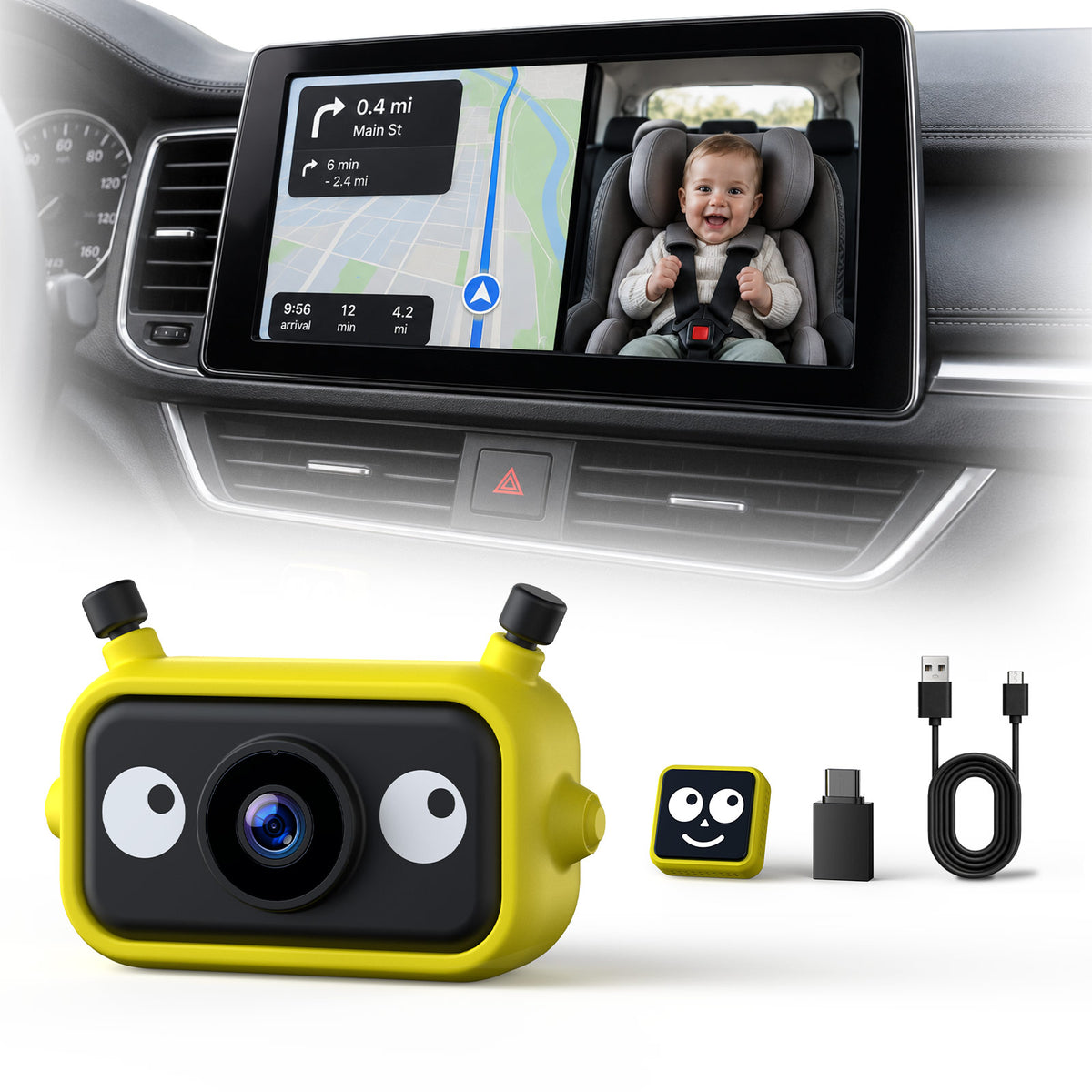
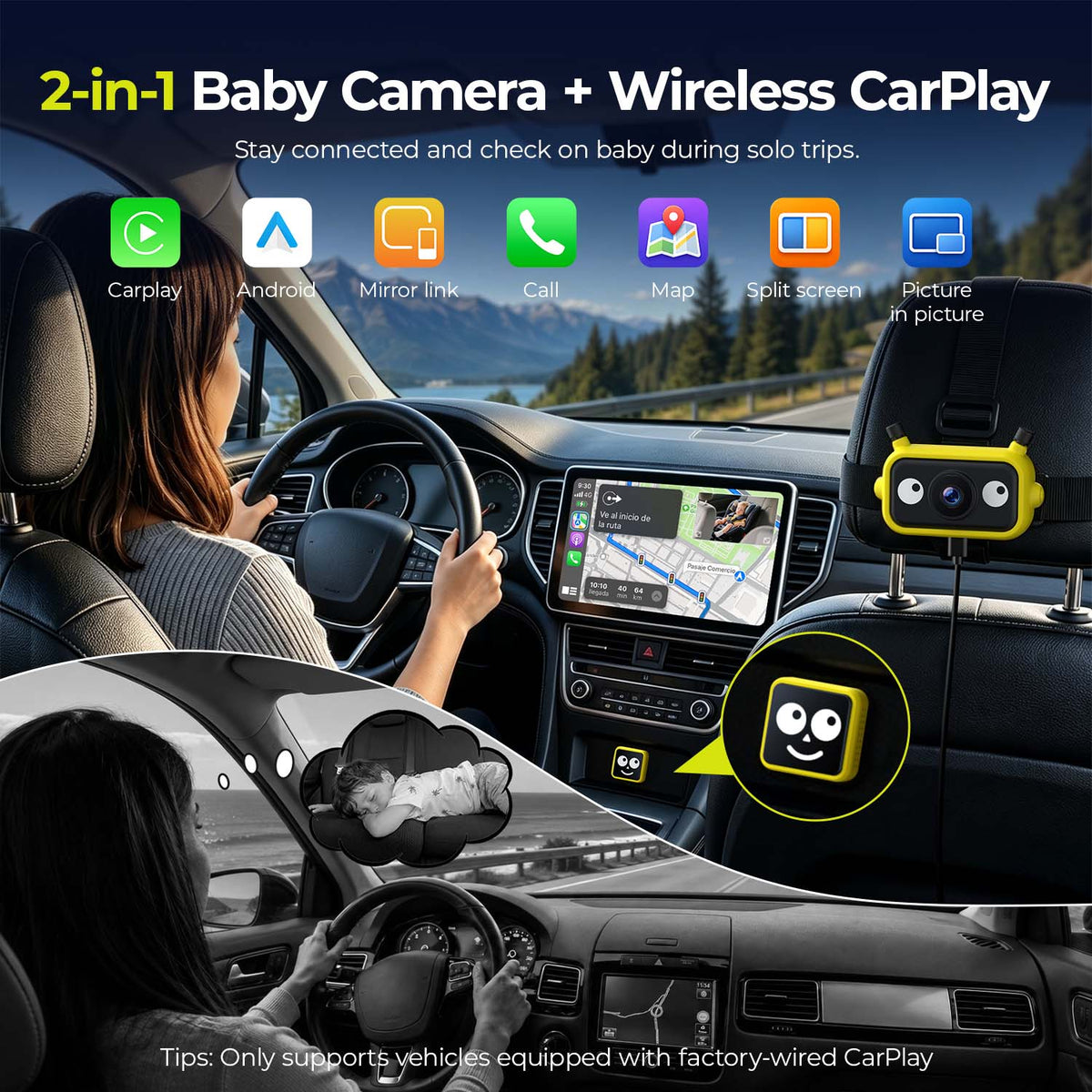
See the back seat on your compatible factory display with live viewing and automatic infrared night vision.
1080P · NIGHT VISION
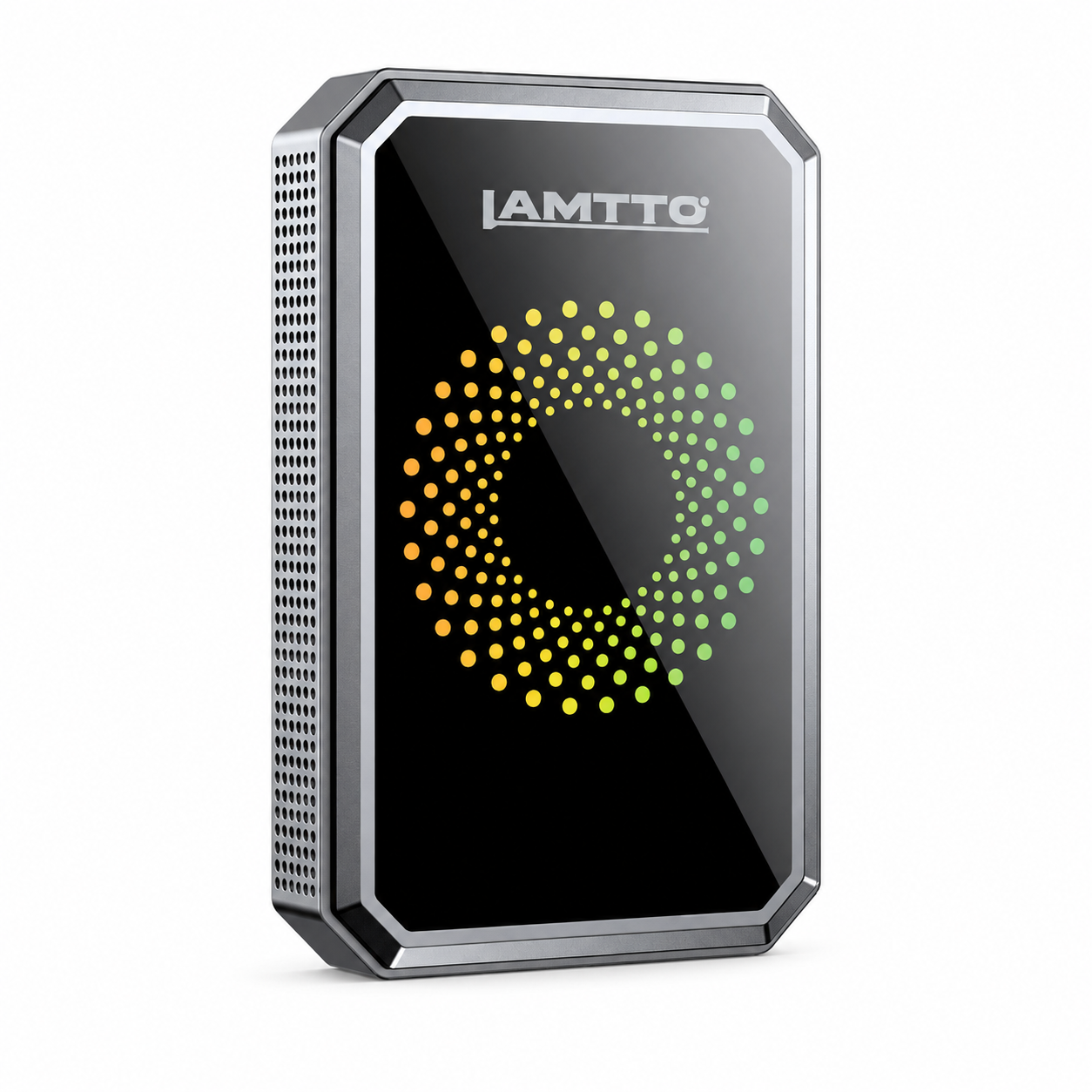
2 in 1 AI box Adapter

Wireless Adapter


Cellular Dash Cam

4 Channel Dash Cam




Why Parents Need This?
Turning around to check your baby while driving can be distracting.
With RC38, your baby’s live view appears directly on your compatible factory CarPlay screen, so you can stay connected to the back seat without installing an extra monitor.
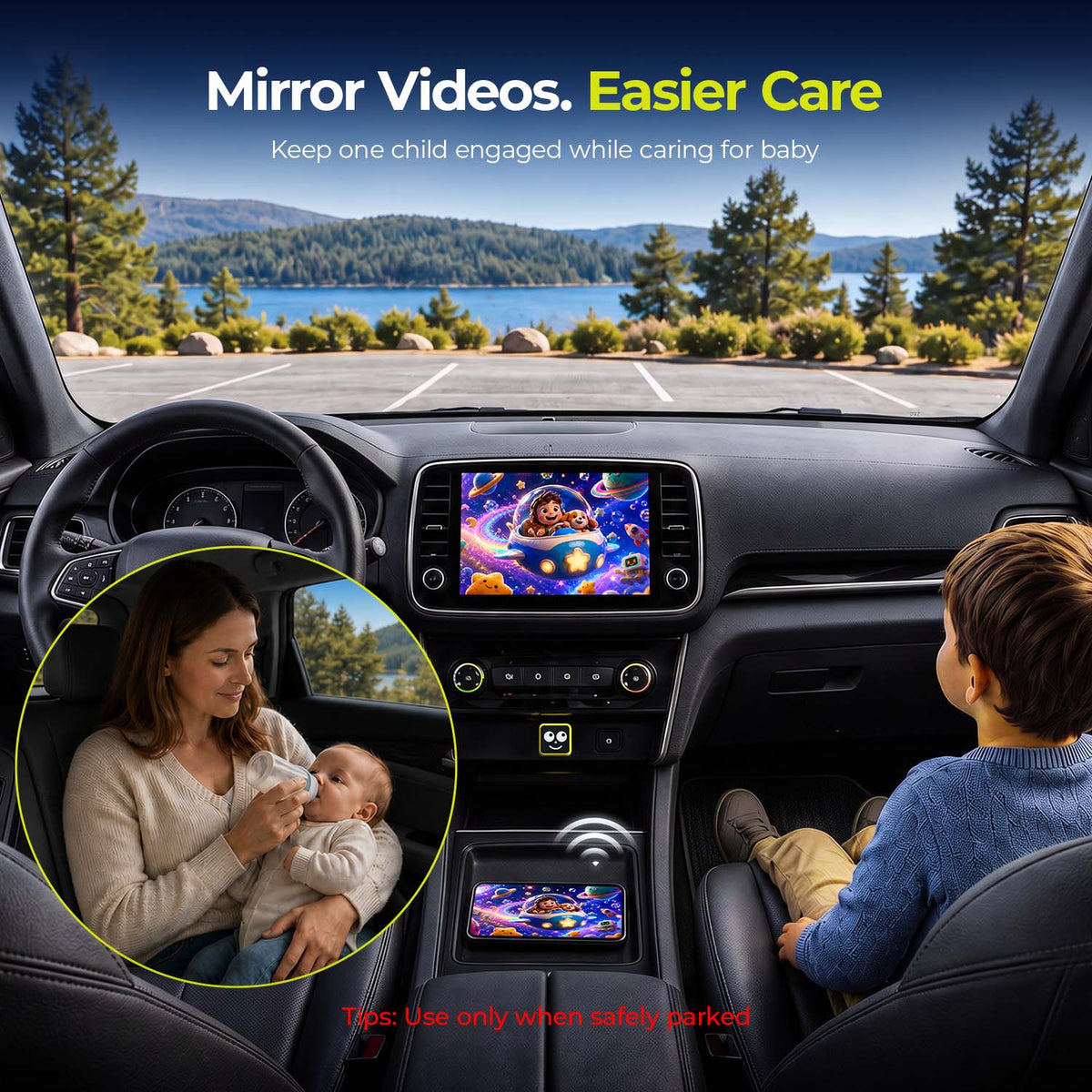
You can also wirelessly mirror compatible videos from your phone to the car screen using AirPlay or Miracast—perfect for enjoying entertainment while safely parked.
One screen. A closer view. More ways to enjoy every journey.

Try it risk-free with our 30-day return and refund policy.
12-Month Warranty & Lifetime Technical Support on All Lamtto Products
Rear-seat viewing and wireless connectivity, all in one.

Wireless
CarPlay
Android
Auto
Live Rear-Seat
View
1080P
Camera
150°
Wide-Angle
Infrared
Night Vision
3 Viewing
Modes
Screen
Mirroring
Voice
Assistant
Maps, Music
& Calls
A SMARTER FAMILY CAR SETUP
From checking the back seat to using your phone wirelessly and making more of your screen while parked, RC38 brings your everyday essentials together.
01 / LOOK BACK
See the back seat on your compatible factory display with live viewing and automatic infrared night vision.
1080P · NIGHT VISION02 / GO WIRELESS
Enjoy wireless CarPlay or wireless Android Auto with a compatible phone in a car equipped with factory wired Apple CarPlay.
CARPLAY · ANDROID AUTO03 / DO MORE
Use AirPlay or Miracast to show compatible content from your phone on your car display while safely parked.
AIRPLAY · MIRACASTRC38 requires factory-installed wired Apple CarPlay. Compatibility varies by vehicle, phone, and app.
A CLOSER VIEW, BUILT INTO YOUR DRIVE
From school runs to family road trips, your compatible dashboard screen does more—without another monitor on the dash.

See a live rear-seat view on your compatible factory CarPlay display.
DAY OR NIGHT
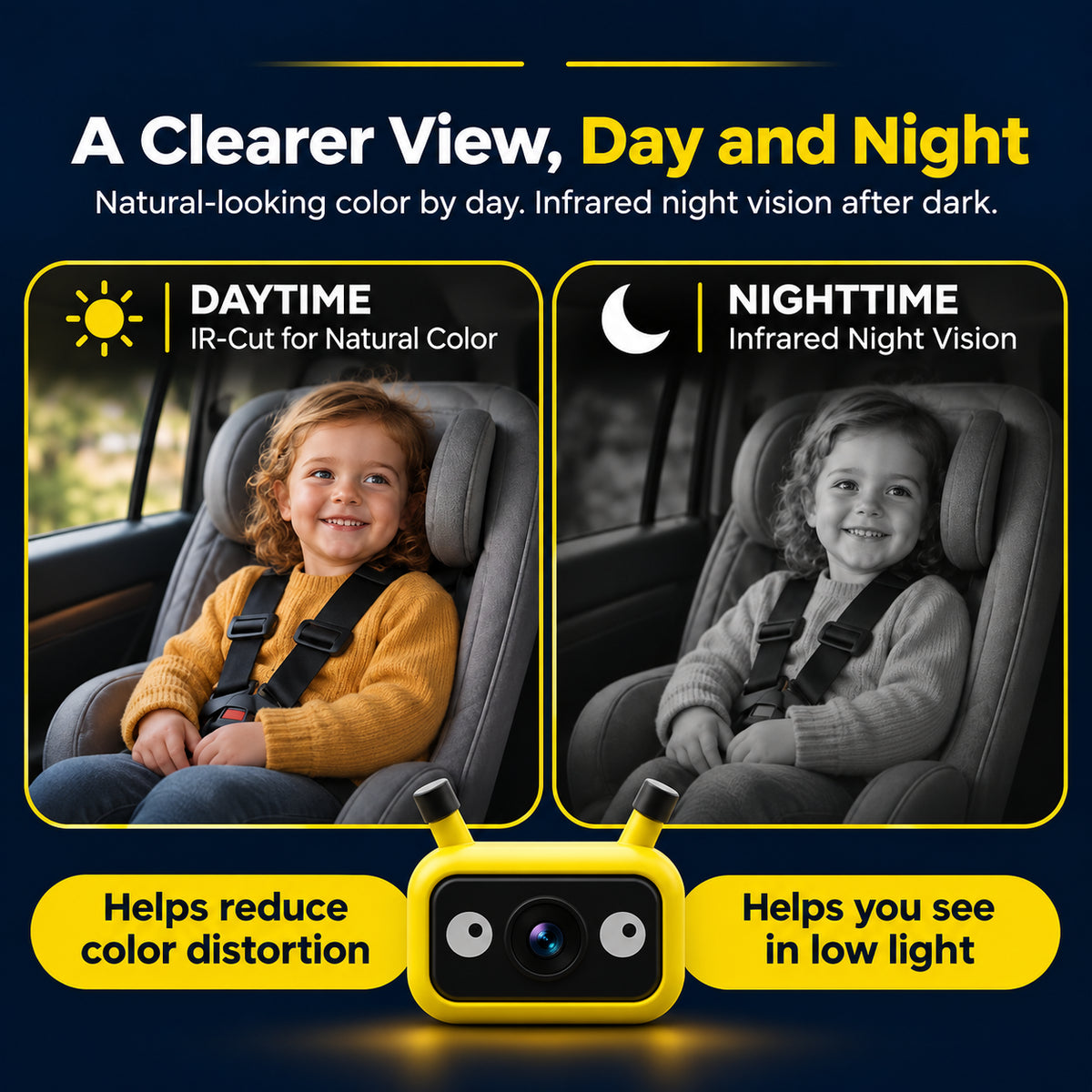
Infrared night vision helps you see the rear seat in low light.

A CLEANER SETUP
Use your compatible factory display rather than adding another monitor.

MORE THAN BABY MONITORING
Waiting at school pickup or taking a break on a road trip? RC38 supports screen mirroring on compatible phones and apps, so you can enjoy supported content on the larger display while safely parked.
Mirroring depends on your phone, app, content restrictions, and vehicle. Some streaming apps may block playback. Use video features only while safely parked.
Vehicle: Your car must have factory-installed wired Apple CarPlay.
Phone: Screen mirroring requires a compatible iPhone with AirPlay or a compatible Android phone with Miracast.
Apps: Mirroring availability varies by app and content. Some protected videos may not play.
 SCREEN MIRRORING · USE WHILE PARKED
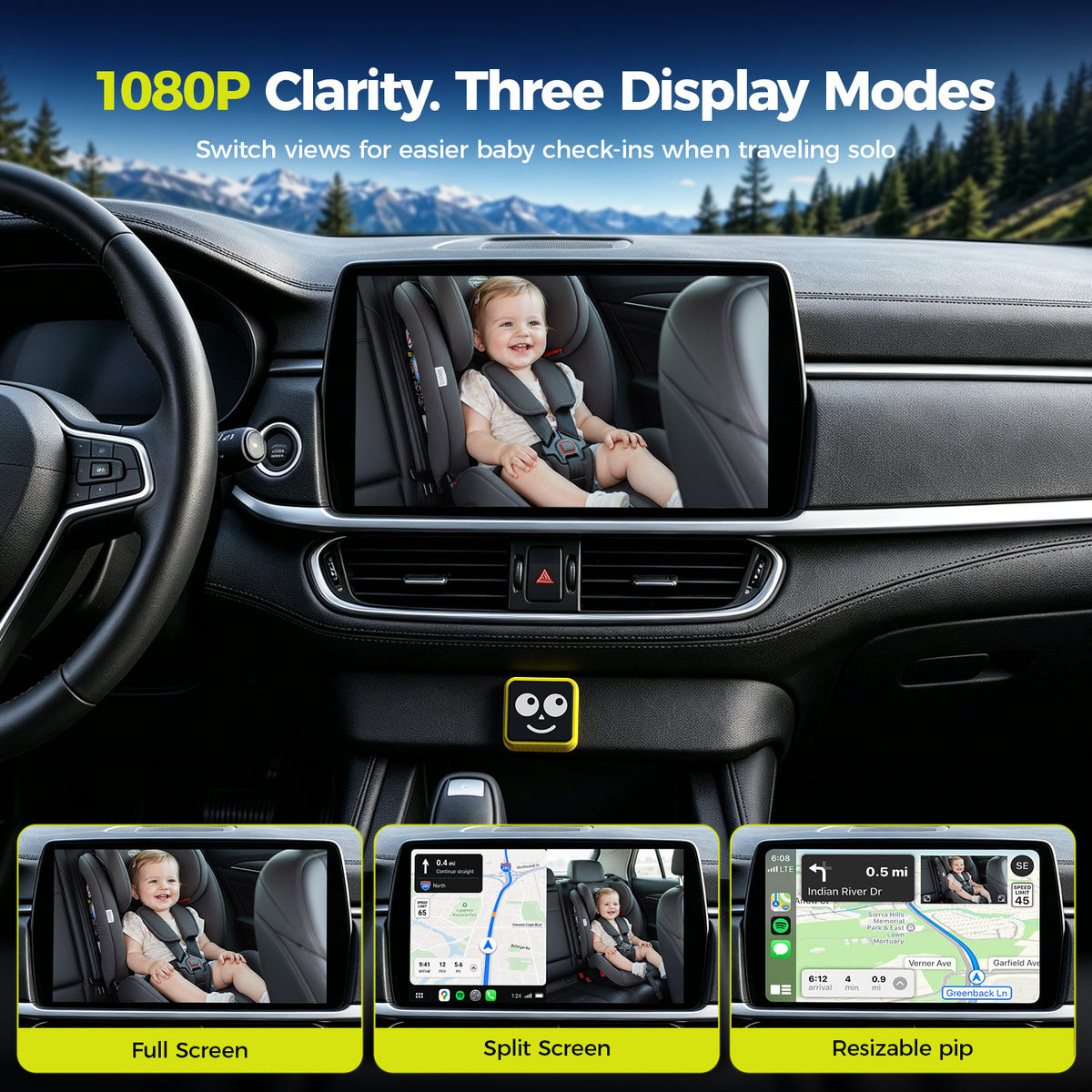
ONE DISPLAY. THREE WAYS TO VIEW.
Choose the view that fits your moment. Navigation and the rear-seat camera can share the screen on compatible setups.

SEE HOW IT WORKS
Use a full-screen view, see navigation and the baby camera side by side, or place the camera in a smaller picture-in-picture window.
Display layouts are illustrative and may vary by vehicle and setup.
EASY TO INSTALL
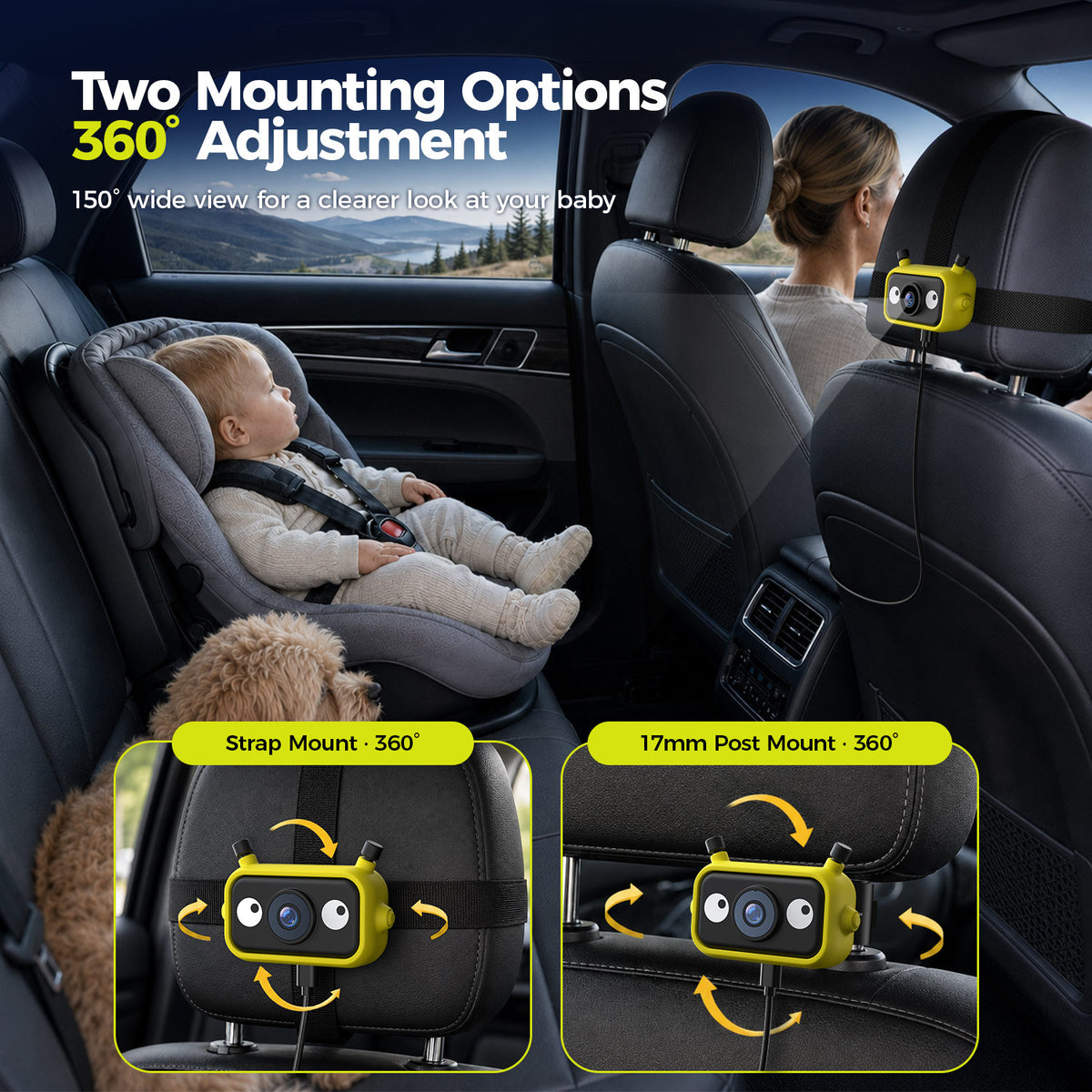
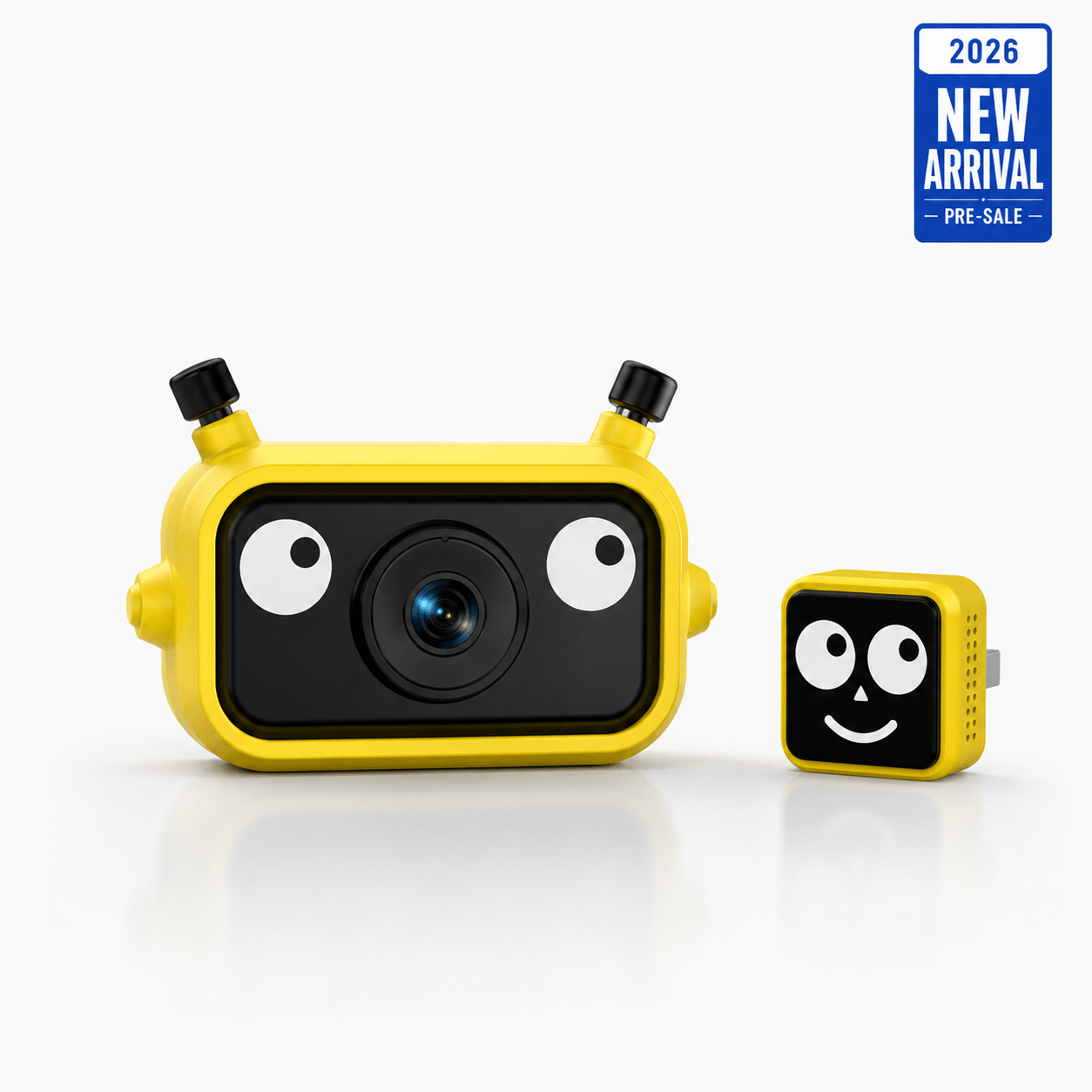
Plug in the adapter, then choose the camera mounting option that fits your headrest.
Swipe to see all installation options

Plug the adapter into your vehicle’s factory wired Apple CarPlay USB data port. Pair a compatible phone by following the on-screen instructions.

Use the included mounting clip on a suitable headrest post, then adjust the camera toward the rear seat.

Secure the camera mount around a suitable headrest with the included hook-and-loop straps, then adjust the viewing angle.
Please note: Plug & Play describes connecting the adapter. The clip and straps are the two camera mounting options. The camera also needs USB power; install and adjust everything while parked.
DETAILS THAT MATTER
The wide-angle baby camera brings a live view of the back seat to your compatible car screen, with automatic infrared night vision for darker drives.
1080P
HD camera resolution
150°
Camera lens viewing angle
IR
Automatic night vision
The area visible on screen depends on camera placement, your vehicle, and display mode.

CHECK BEFORE YOU BUY
Check both your car and your phone before ordering. Your vehicle must have factory wired Apple CarPlay, even if you use an Android phone.
CHECK YOUR CAR
Factory wired Apple CarPlay
Your car must already support Apple CarPlay through a USB cable on its original display.
CarPlay USB data port
Connect RC38 to the USB port used for wired CarPlay, not a charging-only port.
What about my car model?
RC38 is intended for compatible 2016 or newer vehicles. Availability of wired CarPlay varies by make, model, year, trim, and region.
CHECK YOUR PHONE
iPhone
WIRELESS CARPLAYiPhone 6 or newer · iOS 10 or later
Your car must have factory wired Apple CarPlay.
Android
WIRELESS ANDROID AUTOMost compatible phones with Android 13 or later
Phone compatibility varies. Your car must still have factory wired Apple CarPlay.
Using a Huawei phone or unsure about your phone? Contact us before ordering.
IMPORTANT
No factory Apple CarPlay
Wireless-only CarPlay
Android Auto only, without factory wired CarPlay
MORE THAN A BABY CAMERA
Keep an eye on kids or pets in the back seat while staying connected to the features you use every day.

MADE FOR EVERYDAY DRIVES
Swipe to explore

Use supported voice features on your compatible phone.

Make and receive supported calls through your car.

Follow your route with supported navigation apps.

Enjoy playlists, podcasts, and supported audio apps.
COMPARE THE DETAILS
| FEATURE | LAMTTO RC38 |
OTHER CABIN CARE |
|---|---|---|
| Phone screen mirroring | AirPlay + Miracast | ❌ |
| Viewing modes | Full screen, split screen & picture-in-picture | Split screen & picture-in-picture listed |
| Compatible phones | iPhone + compatible Android | iPhone only |
| Camera resolution | 1080P HD | 1080P HD |
| Rear-seat view | Live view | Live view |
| Viewing angle | 150° | 150° |
| Night vision | Infrared | ❌ |
| Phone connection | Wireless CarPlay & Android Auto | Wireless CarPlay Only |
| Vehicle requirement | Factory wired Apple CarPlay | Factory wired Apple CarPlay |
| Video recording | Live view only | Live view only |


QUESTIONS, ANSWERED
RC38 requires a compatible vehicle with factory-installed wired Apple CarPlay and a compatible touchscreen. It works with compatible iPhones and Android phones. Your vehicle must have factory wired Apple CarPlay even when you use an Android phone.
Vehicles with only Android Auto or wireless-only CarPlay do not meet the vehicle requirement.
To check your car, connect an iPhone to the vehicle’s CarPlay USB data port with a data cable. If CarPlay opens on the factory screen, your vehicle may meet the main connection requirement.
First, make sure your vehicle has factory-installed wired Apple CarPlay and a compatible touchscreen. If your car supports both CarPlay and Android Auto, select CarPlay in your vehicle’s infotainment settings.
Plug the RC38 adapter into the USB data port used for wired CarPlay. Once the RC38 home screen appears, your car is connected.
Turn on Wi-Fi and Bluetooth on your phone. Select CarPlay for a compatible iPhone or Android Auto for a compatible Android phone, then follow the on-screen pairing instructions.
Yes. On compatible setups, split-screen mode shows navigation and the live rear-seat view side by side. Picture-in-picture places the camera view in a smaller window. You can also select a full-screen camera view.
Yes. RC38 supports AirPlay for compatible iPhones and Miracast for compatible Android phones. To switch from CarPlay or Android Auto to screen mirroring, disconnect the current session and follow the instructions on the RC38 screen.
Availability depends on your phone, app, and content. Some protected content may not support mirroring. Use video features only while safely parked.
Make sure the RC38 home screen appears on your car’s display and that Wi-Fi and Bluetooth are enabled on your phone. Disconnect any existing CarPlay or Android Auto session, then try pairing again.
If your iPhone is running iOS 27 and you experience split-screen issues, check for an available over-the-air (OTA) firmware update for the RC38 adapter and try reconnecting.
If the issue continues, contact us with your vehicle model, phone model, and software version.
The camera provides a 1080P live view and has a manufacturer-stated 150° lens viewing angle. It also automatically switches to infrared night vision when the cabin gets dark.
The visible area depends on camera placement, your vehicle, and the display mode.
Mount the camera using the included headrest-post mount or straps, depending on your headrest. The camera must remain connected to a suitable USB power source during use. Install and adjust it while the vehicle is parked.
No. RC38 is designed for live viewing and does not record or store video. The camera view appears on your compatible factory CarPlay screen, so no extra monitor is needed.